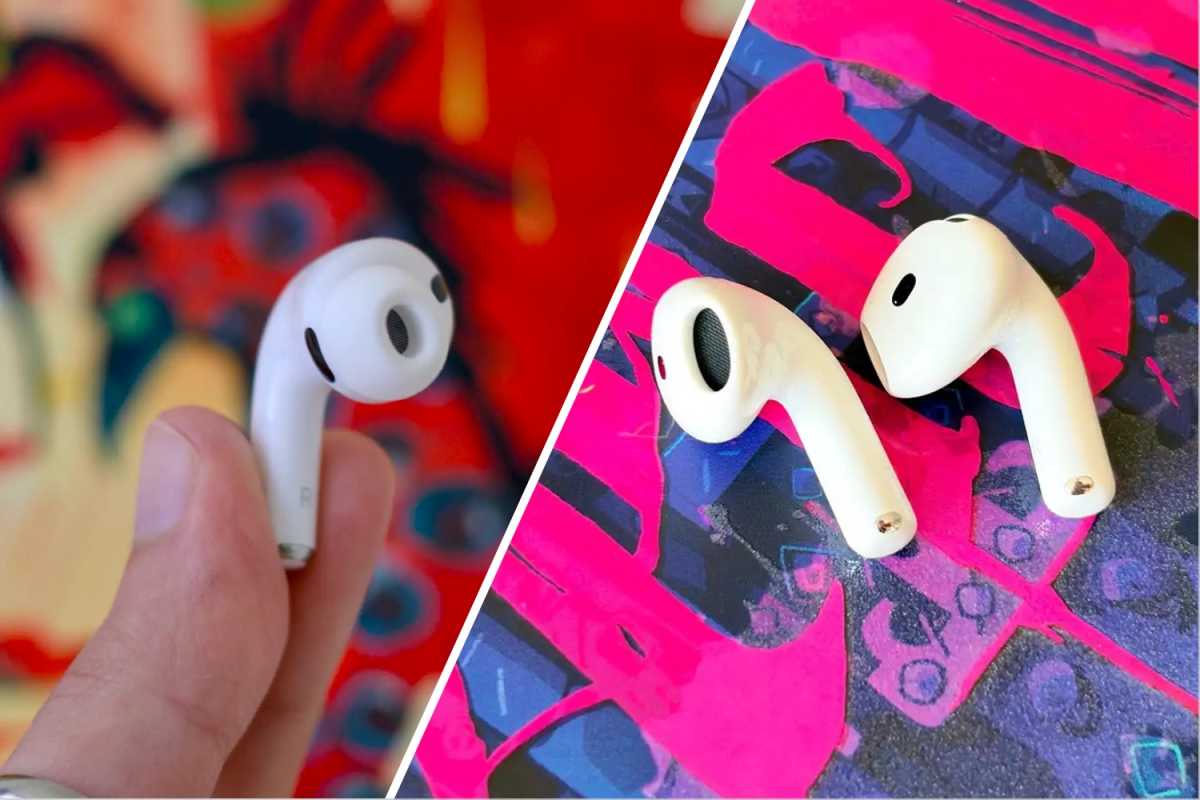
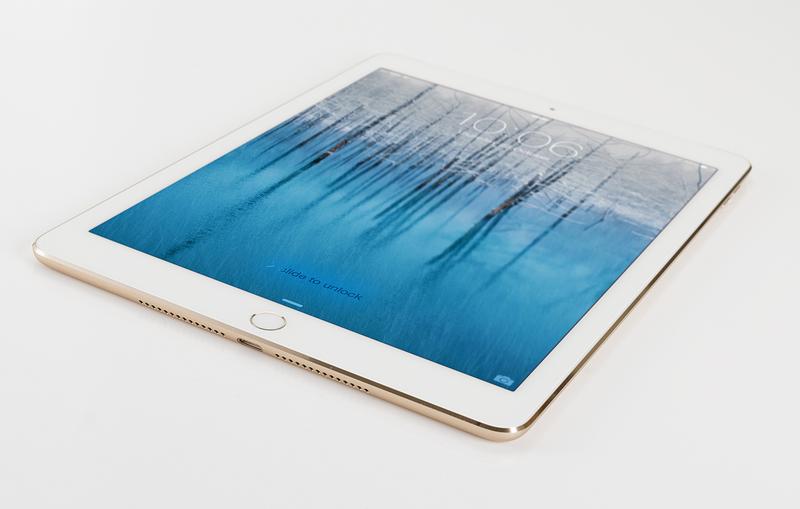
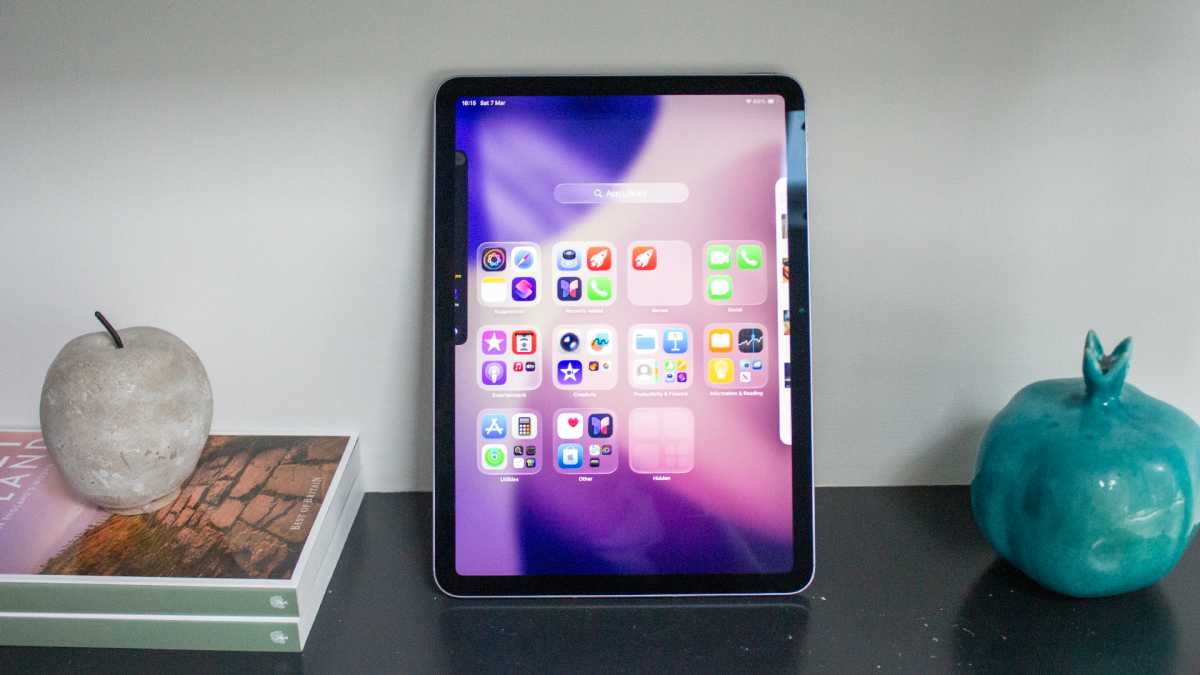
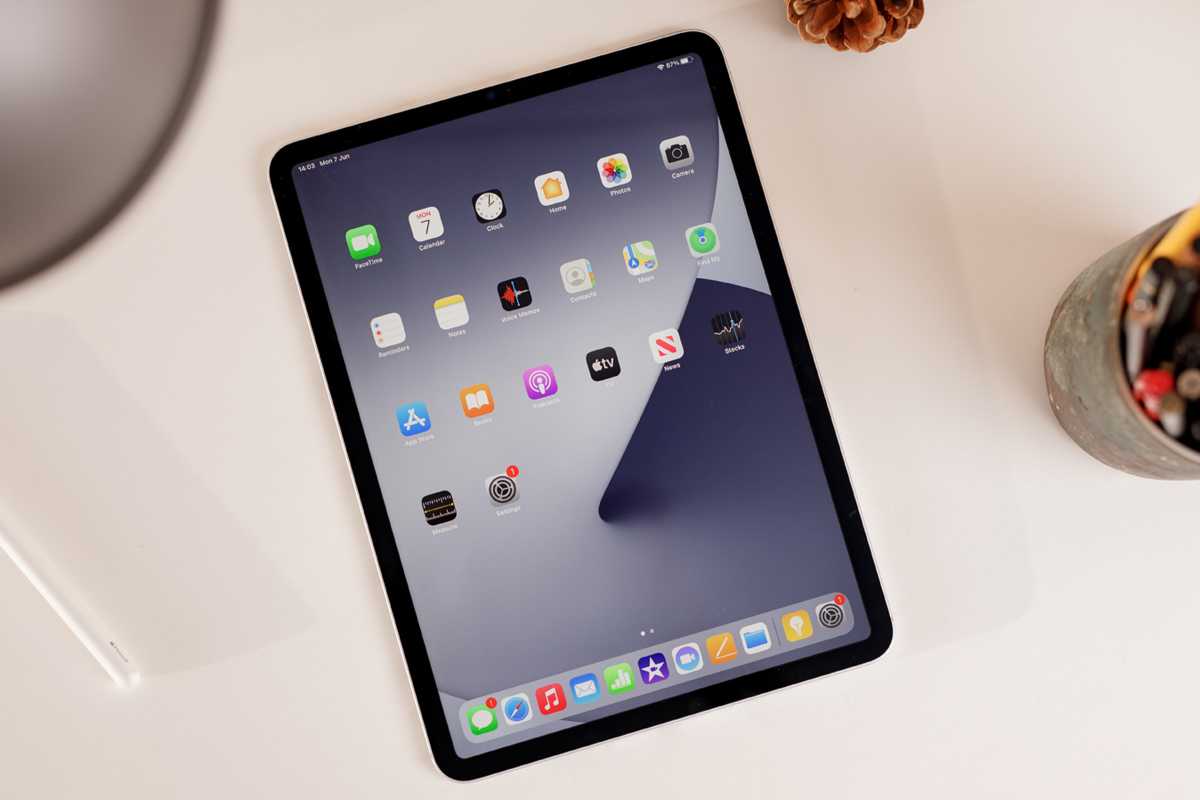
These days, finding an affordable iPad is darn near impossible. If you want to get one for your kids, then spending a ton of money is definitely not on your to-do list since it’s likely to get dropped or damaged. Well, we’ve found a solution: This Apple iPad 8th Gen is only $110 at Woot but if you use code APPLETEN, it’ll take off another 10 percent, bringing it under $100. It’s not new (Woot says it’s in Grade A Refurbished condition) and won’t get the latest features, but it’s about a third of how much you’d pay for a new iPad today.
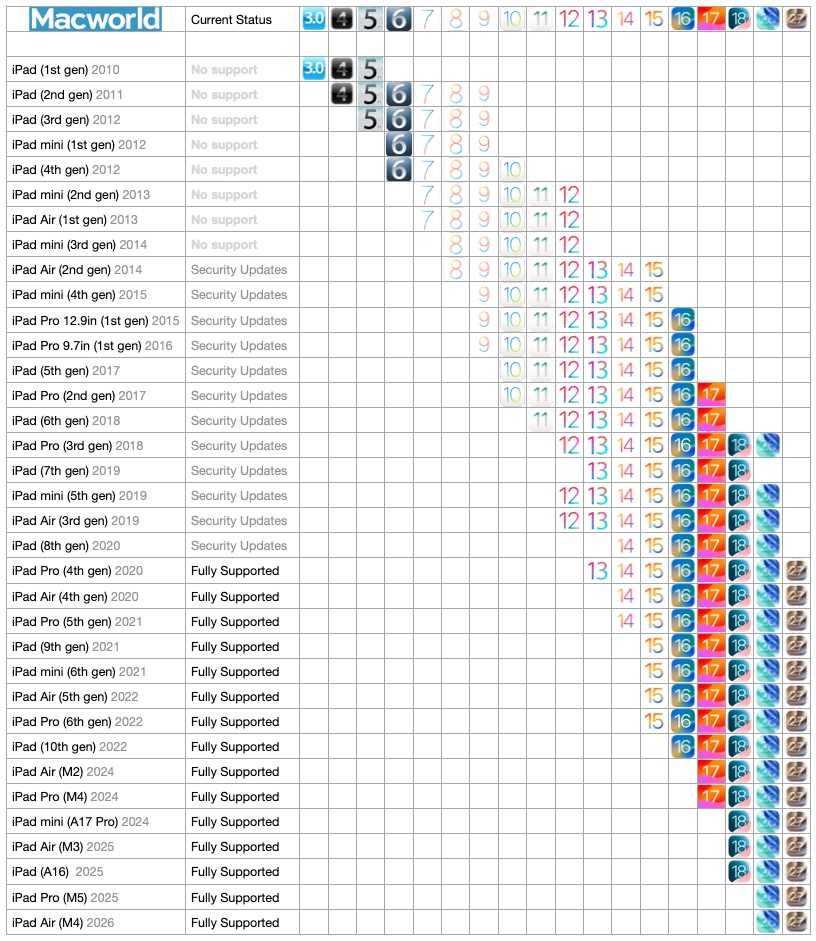
The 10.2-inch Retina display is sharp and bright enough for movies, e-books, and homework apps. Inside, the A12 Bionic chip with Neural Engine was a big upgrade for this model. When it came out, it made the 8th-gen iPad much faster than the version before it, and it still handles games, streaming, and everyday apps without much fuss. Back in 2020, we called it “the best affordable tablet you can buy,” and that’s definitely the case right now. The tablet won’t support iOS 27 or Apple Intelligence, but you’re getting a perfect device you don’t have to worry about when you hand it over.
Think about it: Sooner or later, every parent hits the same moment on a long car ride or a rainy Saturday: the kids want your phone, and you’d really like it back. A tablet of their own solves that, but handing a pricey new iPad to a seven-year-old is a gamble most of us would rather skip. Well, at $110, you won’t wince every time your kid “gently” puts it on the table. Because it’s refurbished, you’re also giving a perfectly good device a second life instead of buying new, and a landfill somewhere will thank you. It’s guaranteed to be free of major dents and dings, plus it comes with a 90-day warranty in cases there’s anything wrong with it.
For under $100, this older iPad model is an easy pick if you want a kid-friendly first tablet or a simple spare iPad for the house without paying full price.
If the latest reports are correct, we’re less than two weeks away from Apple revealing its long-rumored home hub device. If you’re excited about it and already making plans on how to incorporate it into your home, then you’ll appreciate the latest report that reveals the colors of the new device.
According to a post by itspdfu (who has previously posted leaks that have panned out), Apple will offer four colors for the new device: Rose Pink, Silver, Space Gray, and Starlight. The information was gleaned from a feature itspdfu discovered called Photo Face, which displays four background colors that seemingly match the color of the device.
Apple’s Home device may come in four finishes: Silver, Space Gray, Starlight, and Rose Pink.
The Photo Face setup screen picks its preview art based on the hardware color the device reports.
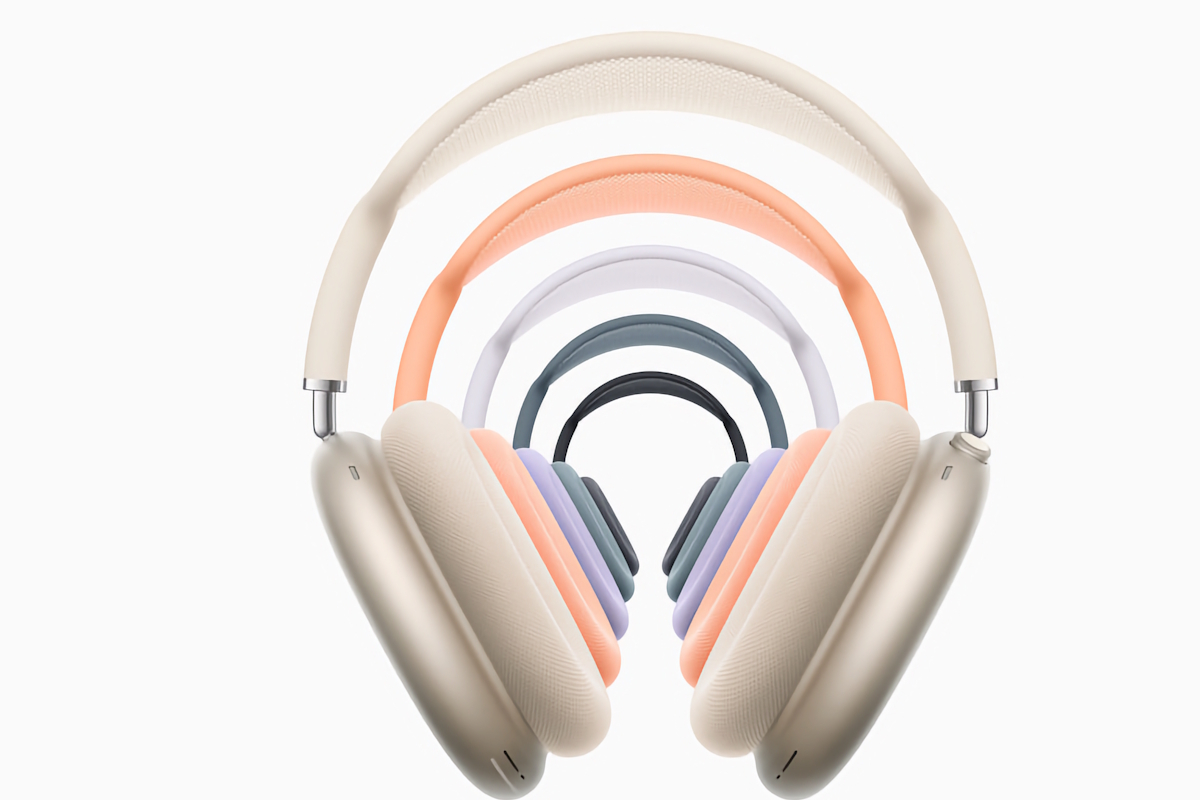
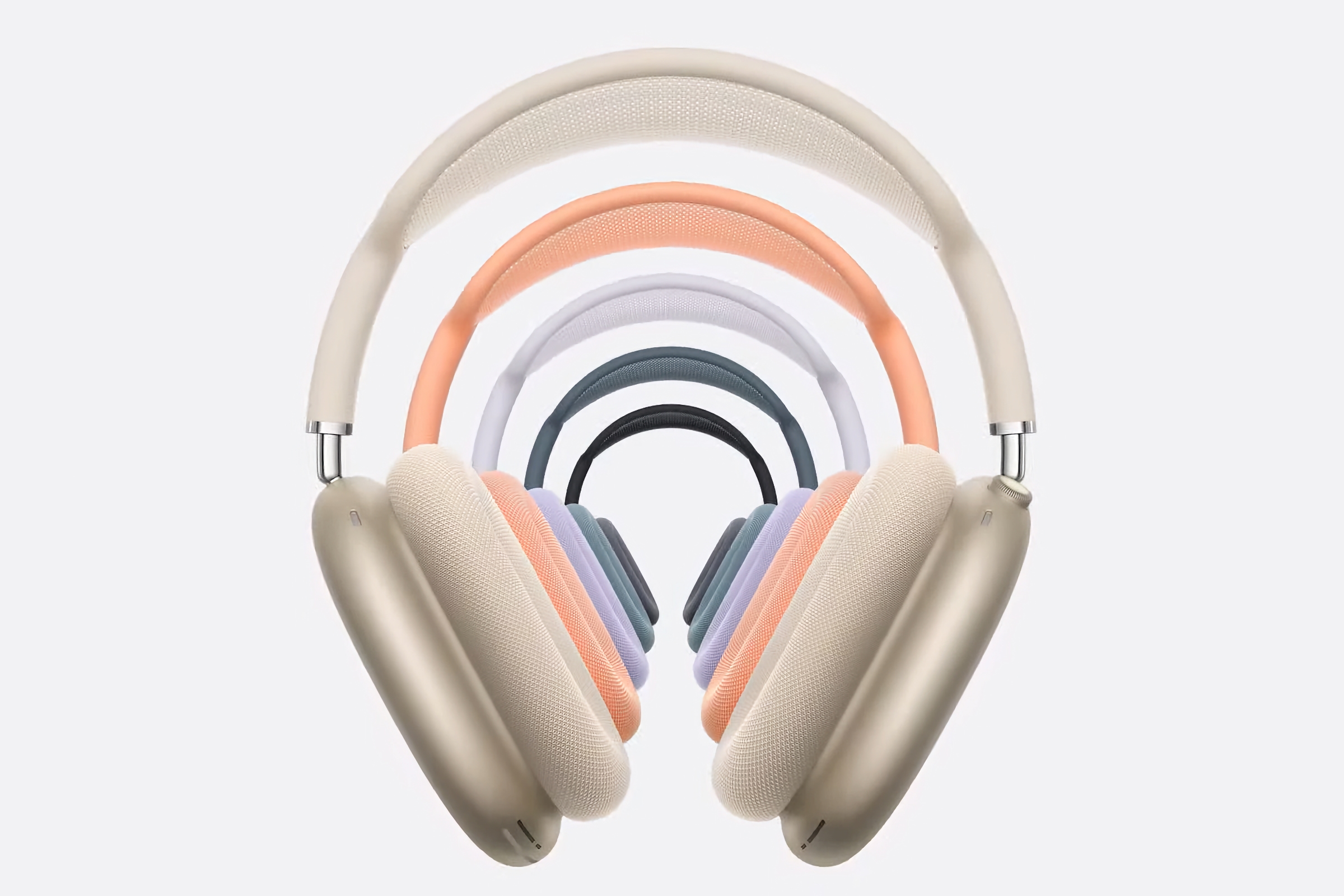
Notably missing from the color choices is black, but Space Gray could come close enough, depending on the shade Apple uses. Starlight is a light bronze finish that has been offered on the MacBook Air, iPad, and AirPods Max. Apple has offered Rose Gold and Pink devices in the past, but Rose Pink is a new name. However, there were rumors that the iPhone 13 Pro Max was going to come in Rose Pink, but that color never shipped.
The Home hub is expected to have a 6-inch display and come in two forms: a design “reminiscent” of the iMac G4, and another that is mounted to a wall. It’s not clear if Apple will reveal the new smart home products at an event, but rumors point to October 13 as a possible launch date.
If you’re planning to buy AirPods, timing your purchase can make a big difference to how much you pay. Apple rarely discounts AirPods itself, but retailers frequently cut prices – particularly around Amazon Prime Day and Black Friday.
October 2026 is an interesting time to buy because Apple has recently refreshed much of the range. The AirPods 5 launched in September 2026, joining the AirPods Pro 3, introduced in September 2025, and the AirPods Max 2, which arrived earlier in 2026. That means there is relatively little reason to wait for an imminent replacement if you want one of Apple’s current range of AirPods.
There is, however, a very good reason to wait a few days if you’re reading this at the beginning of October: Amazon’s October Prime Day sale takes place on October 6 and 7, and AirPods regularly receive substantial discounts during major sales events.
In this guide we’ll explain when the best time is to buy each AirPods model, whether you should buy now or wait, which older AirPods are worth considering at clearance prices, and the times of year when you’re most likely to find a bargain.
The worst time to buy AirPods is generally immediately before a major sale, or just before Apple replaces the model you’re considering.
That’s particularly relevant right now. Amazon’s October Prime Day sale takes place on October 6 and 7, so paying full price for AirPods just a few days before the sale would make little sense unless you need them immediately.
What is the best time to buy AirPods?
Major sales events are generally the best time to buy AirPods. Amazon Prime Day and Black Friday are particularly worth watching because Apple’s headphones and earbuds frequently receive significant retailer discounts.
The savings can be substantial. AirPods Pro 3 have previously dropped from their $249 MSRP to $169, while AirPods Max 2 have already been available for $399 rather than $549.
That doesn’t mean you should never buy between sales. If the AirPods you want are already close to their historical low, there’s little reason to wait simply because another sales event will eventually arrive.
Should you buy AirPods now or wait?
For most people, yes — but wait for Prime Day if you can
Foundry
For most people, October 2026 is a good time to buy AirPods – but wait until the October 6–7 Prime Day sale if you can.
Apple has recently refreshed the standard AirPods and AirPods Max ranges, while AirPods Pro 3 are only around a year old. That removes much of the risk that comes with buying immediately before a product refresh.
The bigger question is therefore not whether a new generation is about to arrive, but whether you can get the current model at a good price.
Read our AirPods Buying Guide to understand how the different AirPods compare and find out which is best for you.
Model
Our advice
AirPods 5
Buy, but wait for Prime Day if possible
AirPods Pro 3
Buy, particularly when discounted
AirPods Max 2
Buy only if you specifically want Apple’s over-ear headphones; look for a substantial discount
AirPods 4
Clearance purchase only
AirPods Pro 2
Consider only at a significant discount
Should you buy AirPods 5 now or wait?
Buy – but wait for a Prime Day discount if you can.
We recommend: Apple AirPods 5
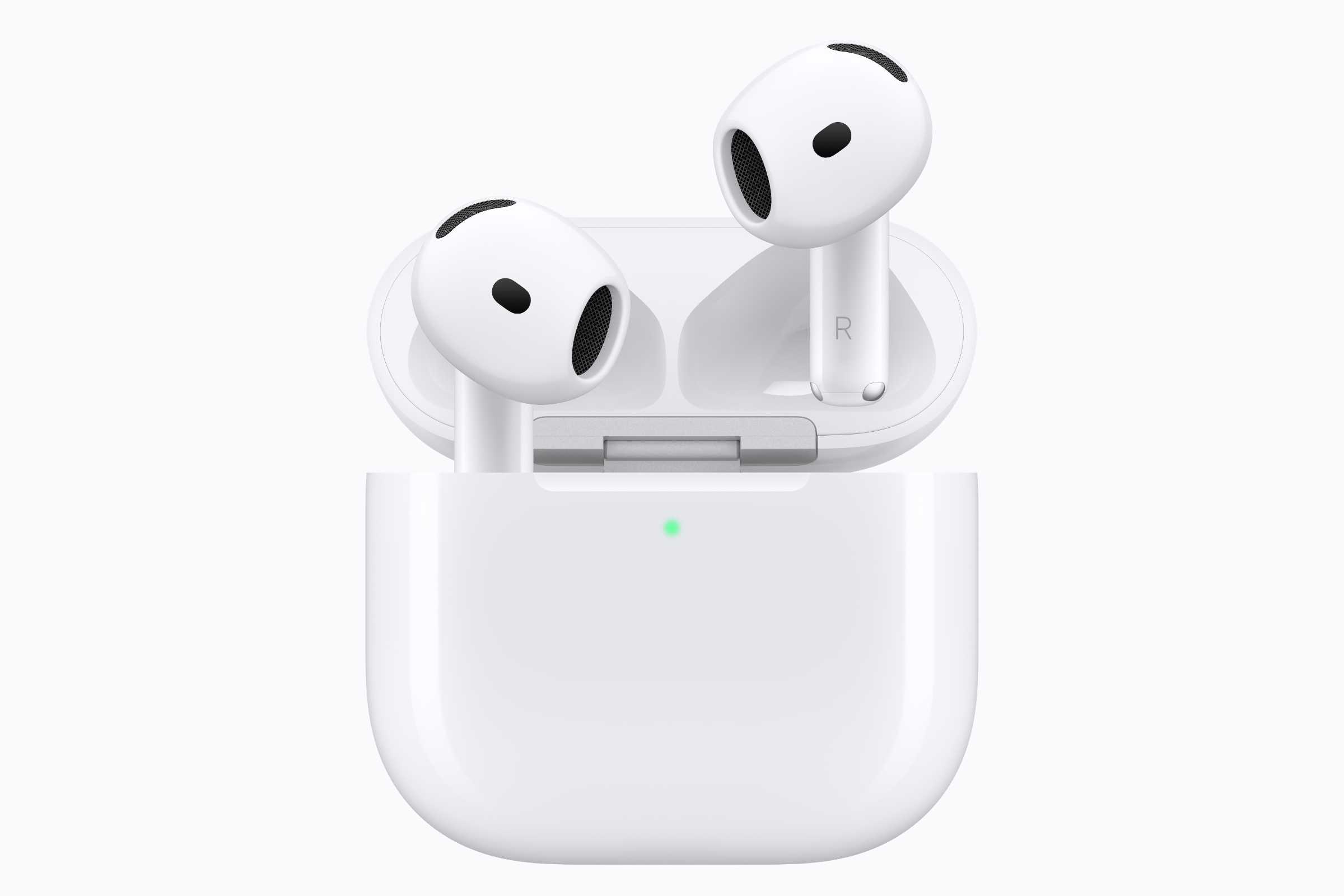
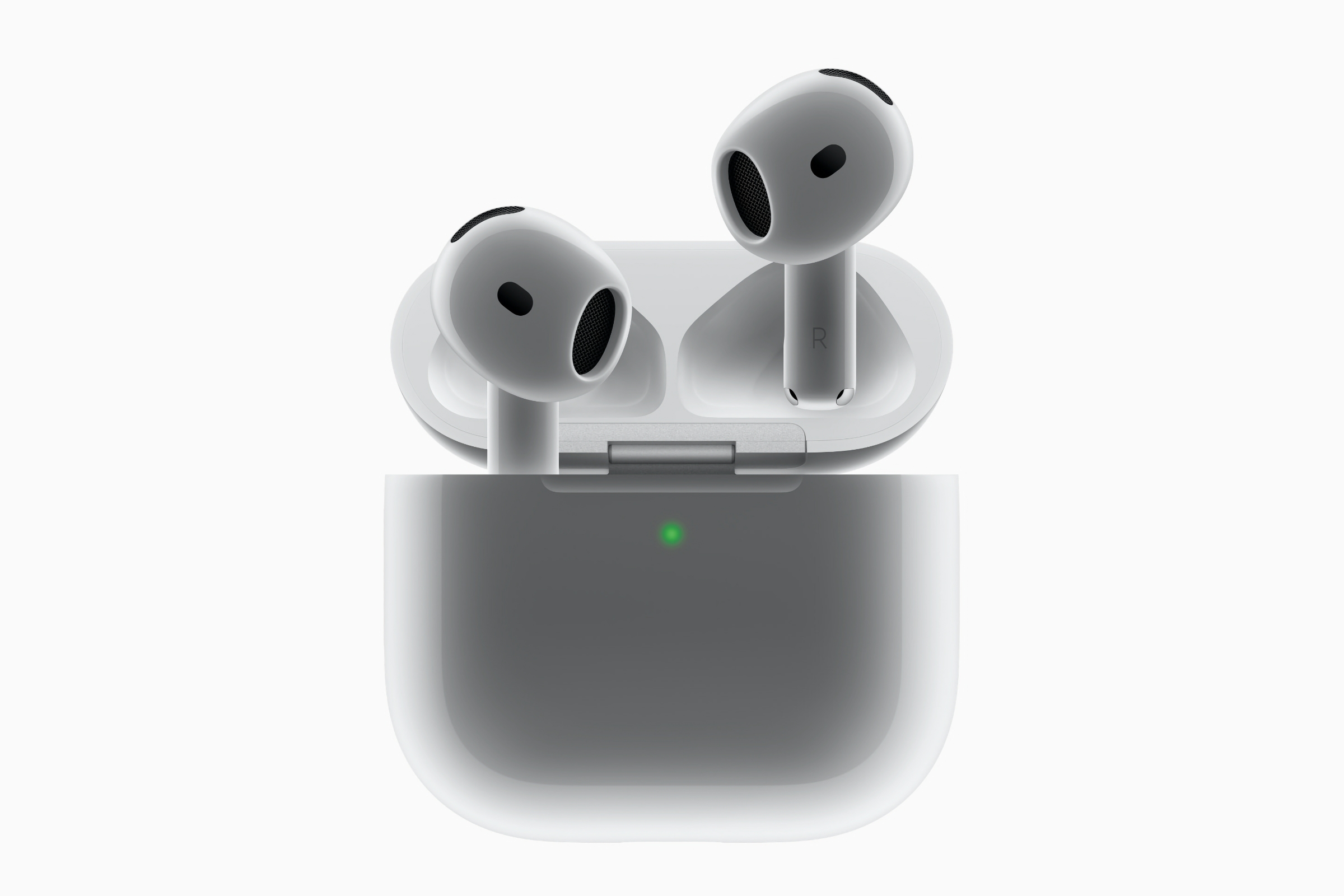
The AirPods 5 only arrived in September 2026, so there’s little reason to wait for another generation. They are also much easier to recommend than the AirPods 4 they replace because Active Noise Cancellation is now standard.
AirPods 5 start at $129 with a USB-C charging case. Apple also sells a $149 version with a Wireless Charging Case, which adds wireless charging, a speaker for Find My, volume adjustment by swiping the stems and slightly longer battery life.
The new generation also brings improved sound and stronger noise cancellation. Apple says AirPods 5 remove up to 50 percent more external noise than AirPods 4 with ANC.
We think the $149 Wireless Charging Case version is the better choice for most buyers because it costs only $20 more and adds several useful features.
Our recommendation: Buy AirPods 5 if you prefer an open-ear design. If you aren’t in a hurry, wait until Prime Day on October 6–7 to see whether either version is discounted.
Should you buy AirPods Pro 3 now or wait?
Buy – particularly if you find them well below $249.
We recommend: Apple AirPods Pro 3
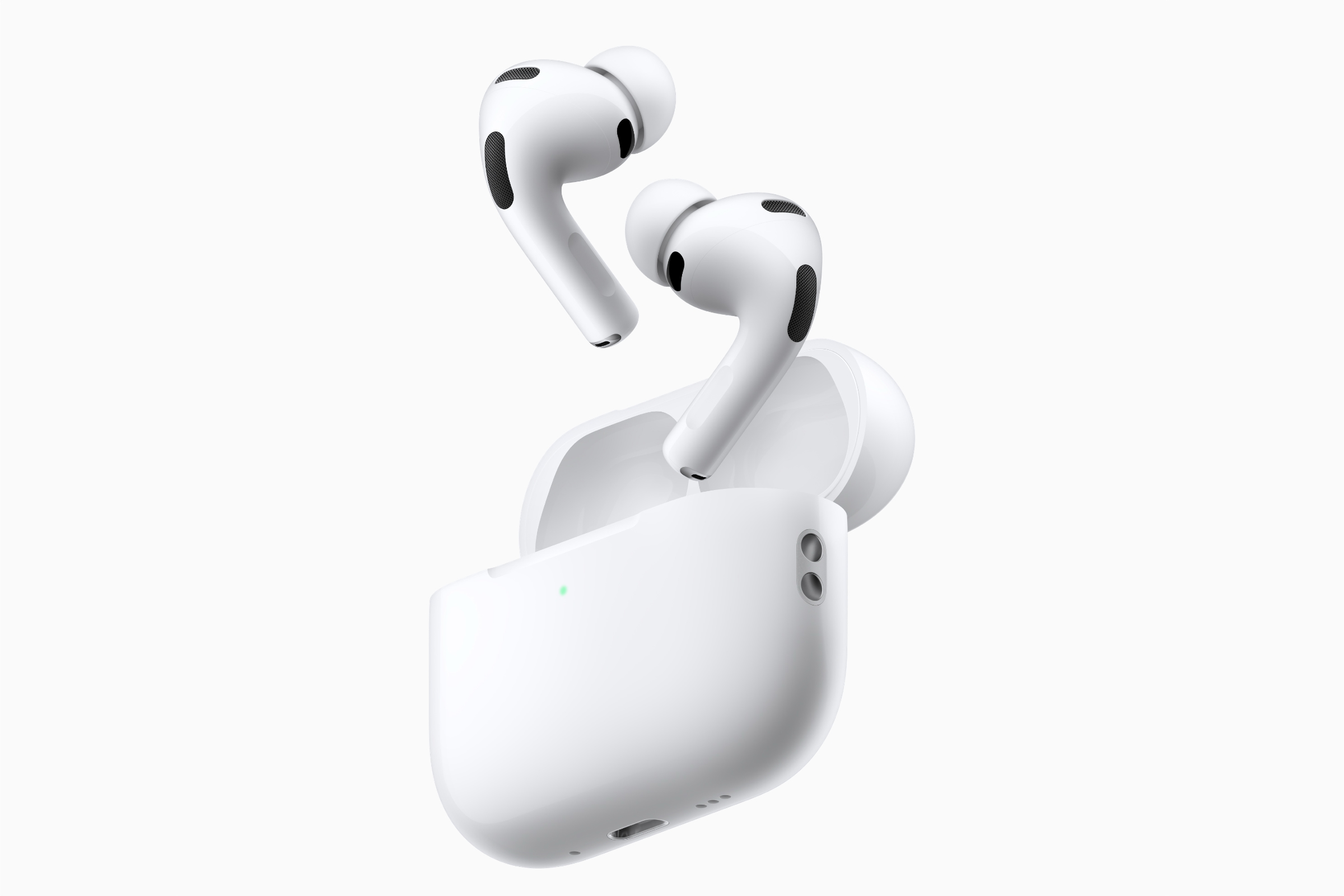
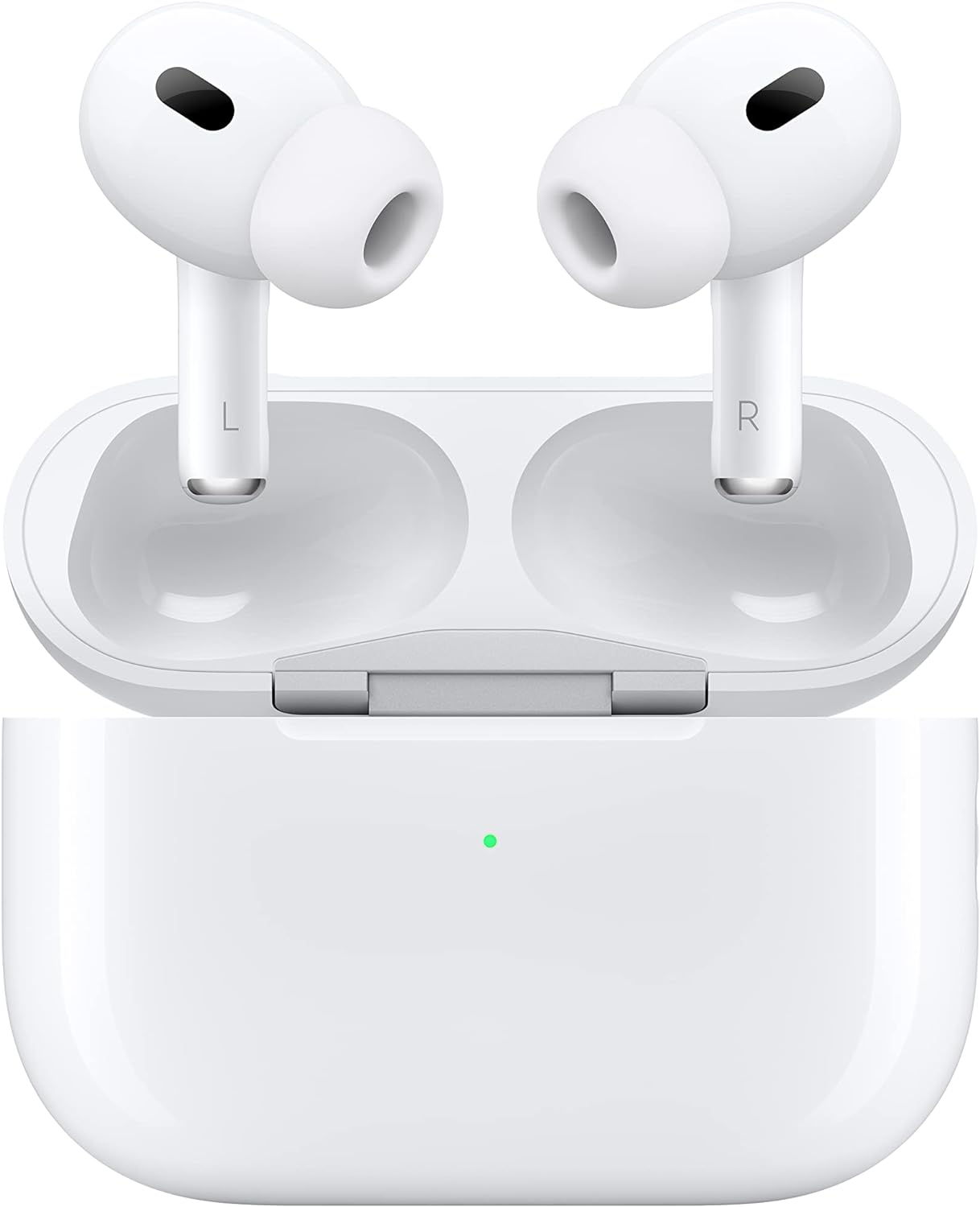
AirPods Pro 3 launched in September 2025 and remain Apple’s most capable earbuds. They improve on AirPods Pro 2 with a more comfortable and secure fit, stronger noise cancellation, improved battery life and a heart-rate sensor.
They also have a significant battery-life advantage over AirPods 5, lasting up to eight hours with ANC enabled compared with four or five hours for the two AirPods 5 packages. AirPods Pro 3 additionally support Apple’s Hearing Test, Hearing Aid and Hearing Protection features.
Their $249 price is much higher than the $129/$149 AirPods 5, but discounts can dramatically narrow that gap. AirPods Pro 3 have previously fallen as low as $169, making sales events particularly attractive times to buy.
Our recommendation: Buy if you want the strongest noise isolation, longer battery life, a secure in-ear fit or Apple’s health and hearing features. At full price, compare carefully with AirPods 5; at a substantial discount, AirPods Pro 3 become much more compelling.
Should you buy AirPods Max 2 now or wait?
Buy if you specifically want AirPods Max – but look for a discount rather than paying $549.
We recommend: Apple AirPods Max 2
AirPods Max 2 are relatively new, so waiting for an imminent replacement isn’t the main concern. The bigger issue is value.
The second-generation model adds the H2 chip and features including Adaptive Audio, Conversation Awareness, Voice Isolation and Live Translation. Sound quality, Active Noise Cancellation and Transparency mode remain excellent.
However, our review found that Apple failed to address several longstanding complaints, including the headphones’ weight, Smart Case and inability to be switched off manually.
That makes the price particularly important. AirPods Max 2 cost $549, but the updated Prime Day roundup has already recorded a $399 deal – $150 below MSRP.
Our recommendation: Don’t wait because – Apple isn’t expected to update the AirPods Max soon. Instead, wait for a good discount unless you particularly want them immediately.
AirPods 5 have replaced AirPods 4 and now include Active Noise Cancellation as standard while starting at the same $129 MSRP previously charged for AirPods 4 without ANC.
That makes older AirPods 4 difficult to recommend unless retailers cut their prices significantly. The standard model fell to $99 during Prime Day, but now that AirPods 5 cost $129, we’d want to see an even lower clearance price before choosing the older generation.
Our recommendation: Buy the ANC equipped version only if the price is exceptionally low.
Should you buy AirPods Pro 2?
Only at a significant discount.
We recommend: AirPods Pro 2 USB-C
AirPods Pro 2 are still capable earbuds, but AirPods Pro 3 improve the fit, battery life and noise cancellation and add heart-rate sensing.
The older model can still make sense if retailers are clearing stock at a sufficiently low price. But the closer its price gets to a discounted pair of AirPods Pro 3, the less attractive it becomes.
Our recommendation: Consider AirPods Pro 2 only if they’re substantially cheaper than AirPods Pro 3 and you don’t need the newer model’s heart-rate feature.
Should you buy older or refurbished AirPods?
Screenshot
Foundry
Older AirPods can make sense when retailers are clearing stock, but compare the price with the model that replaced them rather than focusing on the percentage discount from the original MSRP.
You should also be careful when buying an older generation simply because it appears heavily discounted. The percentage saving can be misleading if the replacement model offers significantly more for a similar price. AirPods 5, for example, start at the same $129 price originally charged for AirPods 4 without ANC, but now include Active Noise Cancellation as standard.
You should be particularly cautious when buying AirPods from marketplaces or unfamiliar sellers. Counterfeit AirPods can closely resemble genuine products, and unusually low prices – particularly on second-hand marketplaces – can be a warning sign.
If you’re considering an older model, check the exact generation, charging case and condition, and make sure the seller is reputable.
When does Apple release new AirPods?
Unlike the iPhone, AirPods don’t follow a simple annual update schedule.
AirPods Pro 3 launched in September 2025, AirPods Max 2 followed in 2026, and Apple introduced AirPods 5 in September 2026.
Because the three main AirPods families have all been updated relatively recently, the current lineup doesn’t present the obvious “wait because a replacement is imminent” problem that sometimes occurs with Apple products.
Following a report Wednesday that Apple is planning to launch three new smart-home products on October 13, more evidence has emerged to indicate that something is indeed coming soon. According to a report from MacRumors, Apple retail stores have received packages that aren’t to be opened until October 8.
The site claims it has multiple sources that confirm Apple Stores “around the world” have received “confidential” boxes with instructions to not open them until October 8. The boxes appear to contain “new visual merchandise, which enables workers to update labels, graphics, and product layouts in stores around the release of new products.”
Of course, Apple is also launching the iPhone Duo this month, with in-store availability beginning on October 23. However, as MacRumors notes, it’s unlikely that there would be secrecy around those displays, as the product has already been announced and new store displays are very much expected to go up around that time.
We’ve heard about stores receiving displays ahead of events and launches before, but it’s rare for Apple Stores to get information about new devices before the general public. So if the report is accurate, a date of October 8 would indicate that Apple plans to announce something next week rather than, or in addition to, October 13.
It’s also worth noting that Apple Stores don’t generally advertise new products until they’re available for purchase or at least on display. So if stores are changing their signage for October 9, it would indicate that something new will be available.
Apple is expected to launch at least three new smart-home devices, including an updated Apple TV 4K and HomePod mini, as well as a new smart-home hub. It’s not uncommon for Apple to space out announcements on multiple days when there isn’t an official event.
The iPhone Duo, Apple’s first foldable iPhone, will be available to pre-order on October 16 and goes on sale October 23. Buyers can begin Apple’s “Get Ready” process on October 12, allowing them to choose their configuration and prepare payment, trade-in and delivery details before orders officially open.
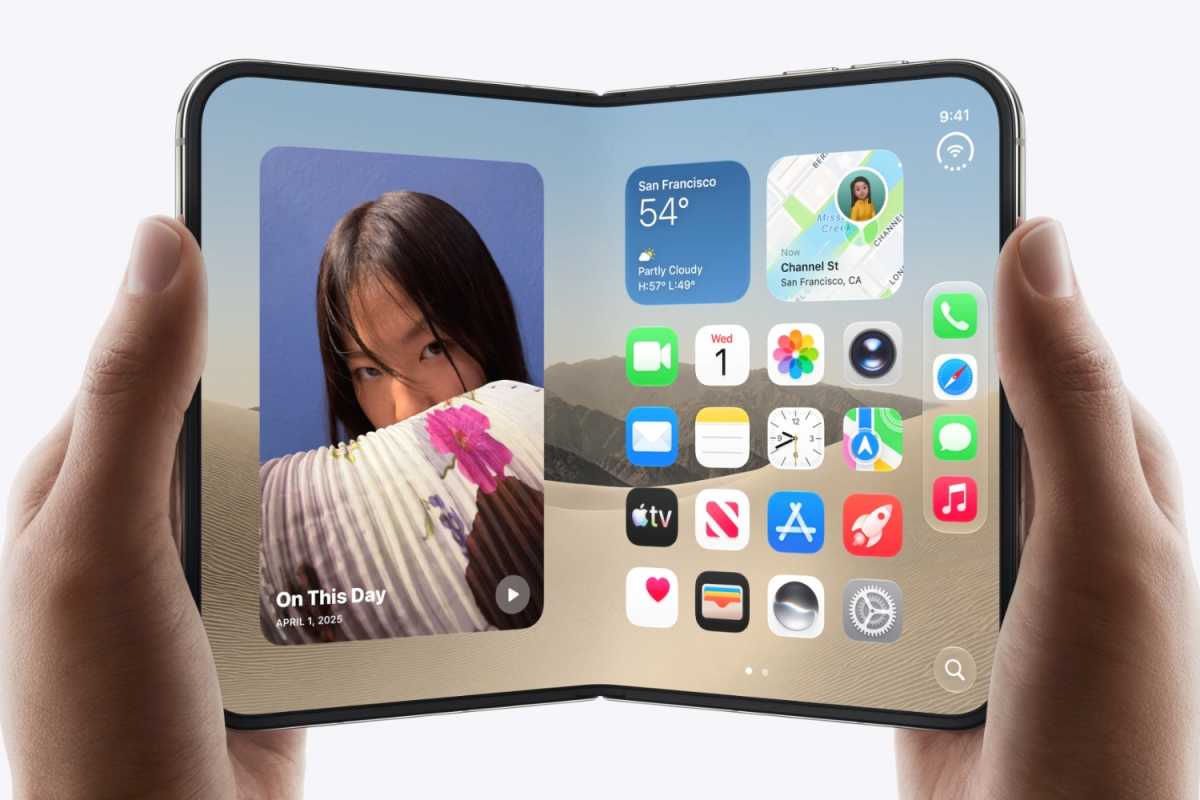
The Duo opens like a book from a compact 5.4-inch phone into a much larger 7.6-inch device. Apple describes the internal screen as its largest-ever iPhone display, with 50 percent more screen area than the iPhone 18 Pro Max, while the outer display provides more than 90 percent of the screen area of an iPhone 18 Pro.
The biggest change is obviously the folding design, but Apple has done more than simply add a hinge. The iPhone Duo will ship with iOS 27.1, which adapts to different positions and orientations with fold-specific interface and multitasking features. These include Split View, hands-free FaceTime and video, StandBy without charging, and layouts that move seamlessly between the two screens. Apple Pencil USB-C support is also coming later in 2026.
The other major changes are the 7.6-inch nano-texture inner display, Touch ID replacing Face ID, an A20 Pro processor with vapor-chamber cooling, and a dual-battery system designed around the two halves of the phone. Apple has also introduced camera features that exploit the second screen, including Duo Preview, Smart Take, Kid Cue and Duo FaceTime.
Much of the pre-launch reporting proved accurate: the Duo name, book-style design, roughly 7.7- and 5.4-inch screens, Touch ID, two 48MP rear cameras, two front-facing cameras, A20 Pro, C2 modem, MagSafe and the white/dark-blue colours were all anticipated.
iPhone Duo at a glance
Apple’s first folding iPhone, with 5.4-inch outer and 7.6-inch inner displays.
Touch ID replaces Face ID, with the fingerprint sensor incorporated into the side button.
A20 Pro with vapor-chamber cooling, including a new 2nm manufacturing process.
Dual-battery architecture, giving up to 44 hours of video playback on the outer display.
Fold-specific iOS and camera features, including Split View, Duo Preview, Smart Take, Kid Cue and hands-free use.
iPhone Duo: Top 10 features
Foldable design
Book-style titanium design with precision hinge
Inner display
7.6-inch Super Retina XDR OLED, 120Hz ProMotion
Outer display
5.4-inch Super Retina XDR OLED, 120Hz ProMotion
Processor
A20 Pro, 6-core CPU, 7-core GPU
Neural Engine
Dual 16-core Neural Engine
Authentication
Touch ID in side button
Rear cameras
48MP Main + 48MP Ultra Wide
Battery
Dual batteries; up to 44 hours video on outer screen
Connectivity
C2 modem, Wi-Fi 7, Bluetooth 6, second-gen UWB
Storage
256GB, 512GB, 1TB or 2TB
iPhone Duo release date: When will it go on sale?
Apple unveiled the iPhone Duo on September 9, 2026, but unlike the iPhone 18 Pro models it won’t arrive until October.
From Monday, October 12, Apple will let customers “Get Ready” for iPhone Duo pre-orders. Through the Apple Store app, buyers will be able to choose their preferred color and storage capacity, select a carrier, arrange a trade-in or financing, choose AppleCare+, and enter payment and delivery information in advance. That should make placing the final order considerably quicker once pre-orders open.
Pre-orders begin on Friday, October 16, at 1 p.m. in the U.K. and 5 a.m. Pacific in the U.S.
The iPhone Duo officially goes on sale one week later on Friday, October 23, in more than 70 countries and regions, including the U.S., U.K., Canada, Australia, China, France, Germany, India and Japan. A further 28 countries and regions will get it on October 30.
It will be available directly from Apple online and through Apple Stores, with carrier availability varying by market.
Initial supplies may be limited. A late-September supply-chain report claimed Apple and its manufacturing partners were still experiencing relatively low production yields for the new folding design.
iPhone Duo design: What does it look like?
The iPhone Duo opens up like a book.
Apple
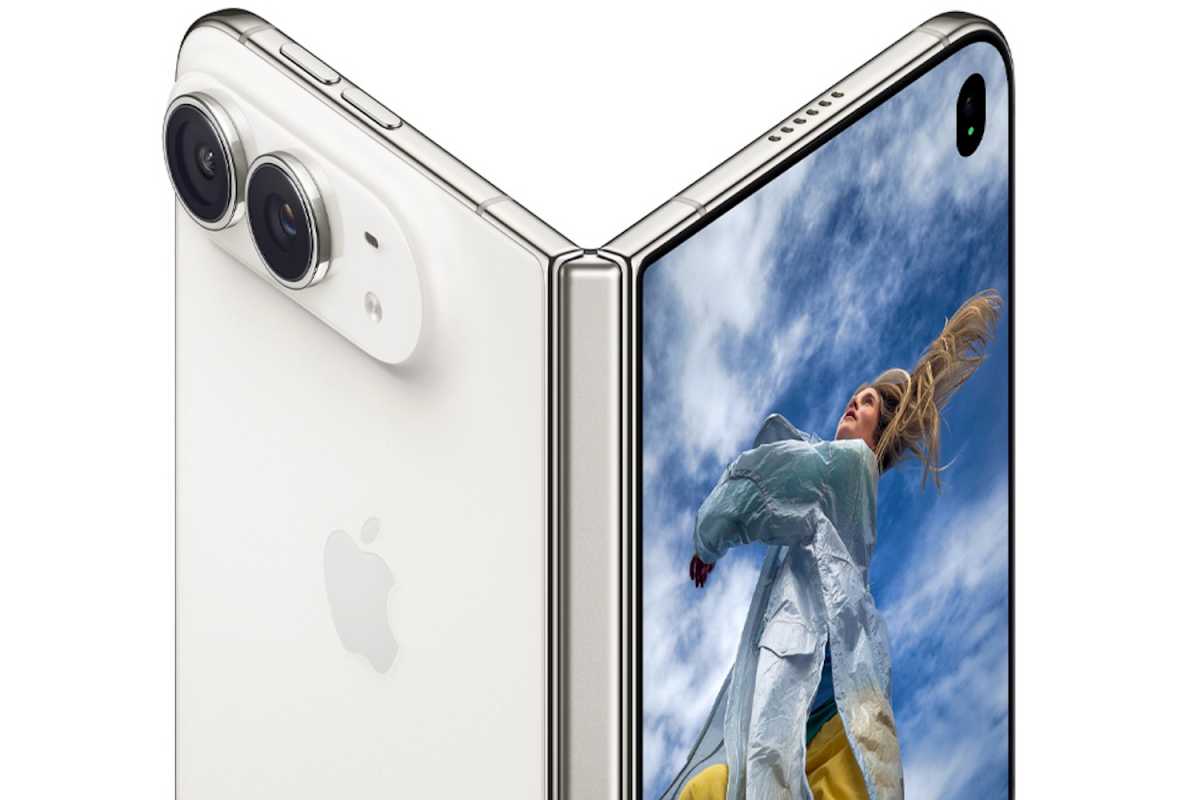
The iPhone Duo uses a book-style folding design. Closed, it is unusually short and wide for an iPhone, measuring 84.1mm wide, 117.8mm tall and 11.3mm thick. Open it and the width expands to 164.6mm, while thickness reduces to just 5.2mm, making it Apple’s thinnest iPhone when unfolded (taking that mantle from the iPhone Air). It weighs 254g.
The outer screen measures 5.4 inches, while the folding inner panel measures 7.6 inches. Both are Super Retina XDR OLED displays with ProMotion up to 120Hz, Always-On display support and up to 3,000 nits outdoor peak brightness. The internal display also has a nano-texture surface designed to reduce reflections and make the crease less noticeable.
The frame and hinge cover are made from Grade 5 titanium. Apple uses a mirror-polished finish on the enclosure and a micro-blasted finish on the 3D-printed hinge cover. Ceramic Shield protects the rear, while Ceramic Shield 2 protects the outer display. The phone retains an IP68 rating despite its folding construction.
The hinge from the outside.
Apple
There are just two colors: Star White and Night Sky, essentially confirming the pre-event reports of silver/white and a very dark blue. For more information read about the iPhone Duo colors.
Action button and Camera Control
There is Camera Control, giving access to exposure, depth, zoom, cameras, styles and tone. It can also launch the new Siri Camera mode.
However, Apple’s Duo doesn’t feature an Action button. The regular iPhone 18 Pro and Pro Max retain both the Action button and Camera Control, so this is one hardware-control compromise of the folding model.
Accessories
Apple is also launching two dedicated accessories for the foldable:
The iPhone Duo Case at $79/£79
The Duo Folio with Kickstand at $129/£129
Both will be orderable from October 16.
Face ID, Touch ID and the notch
Perhaps the most surprising difference between the iPhone Duo and Apple’s other flagship iPhones is that there is no Face ID.
Instead, Apple has brought back Touch ID, with the fingerprint sensor incorporated into the side button. It works whether the Duo is folded or unfolded, and Apple Watch can also be used to unlock the device. This confirms one of the most persistent pre-launch rumors.
The internal display therefore does not need the TrueDepth sensors used for Face ID. Its FaceTime camera sits beneath the display and disappears when it isn’t being used, giving the inner screen a largely uninterrupted surface.
The inner camera itself is hidden below the display rather than sitting permanently in a visible camera cutout. And yet, despite this and the absence of Face ID, there is still support for Dynamic Island.
iPhone Duo cameras: What cameras does it have?
There are two cameras on the rear.
Apple
The Duo has a 48MP Dual Fusion camera system, comprising:
Camera
Resolution
Equivalent focal length
Aperture
Fusion Main
48MP
26mm
f/1.6
2x crop from Main
12MP
52mm
f/1.6
Fusion Ultra Wide
48MP
13mm
f/2.2
Outer front camera
12MP
—
f/2.2
Inner FaceTime camera
Apple does not specify resolution
—
f/1.8
The Duo does not have variable aperture. Variable aperture is exclusive to the 48MP Fusion Main camera in the iPhone 18 Pro and Pro Max.
The biggest camera features for iPhone Duo
Duo Preview
The outer screen can show a live preview while somebody else is being photographed, allowing the subject to adjust their pose and framing.
Smart Take and Kid Cue
Smart Take detects when everybody is ready and automatically captures the shot. Kid Cue uses animations on the outer screen to encourage children to look towards the camera.
Two-screen shooting
The folding design supports unusual shooting configurations, including using the main cameras for selfies or group photos while seeing the composition on the other screen. Duo FaceTime can also put nearby participants onto the outer display.
Other notable camera features include 48MP macro photography, a 2x optical-quality crop from the Main camera, an under-display inner FaceTime camera, Dual Capture for simultaneous front-and-rear video, and 4K Dolby Vision recording at up to 120fps.
Rear cameras
The 48MP Fusion Main has an f/1.6 aperture, sensor-shift stabilization and can shoot 24MP or 48MP images. It also provides a 12MP, 2x optical-quality crop equivalent to a 52mm lens.
The 48MP Fusion Ultra Wide has a 13mm-equivalent lens, f/2.2 aperture and 120-degree field of view. It also supports 48MP macro photography and is the same Ultra Wide camera used by the iPhone 18 Pro family.
That means the Duo does not match the iPhone 18 Pro and Pro Max camera system. Those phones add a dedicated 48MP Fusion Telephoto and variable aperture on the Main camera, making the Pro models much more flexible for photography despite costing substantially less.
Pre-event reports were divided between a Main + Telephoto and Main + Ultra Wide arrangement. Apple ultimately chose Main + Ultra Wide, confirming the earlier reports that a dedicated telephoto could be sacrificed to save space.
Front cameras
On the outside is a 12MP Center Stage camera with an f/2.2 aperture. It supports Center Stage, automatic portrait/landscape framing, Dual Capture, Photonic Engine, Deep Fusion, Smart HDR 5 and 4K Dolby Vision video at up to 60fps.
Inside is an under-display FaceTime camera with an f/1.8 aperture. Apple does not specify its megapixel resolution. It supports Center Stage for video calls and records at up to 1080p/60fps. Its major advantage is visual rather than photographic: the camera effectively disappears beneath the display when it isn’t being used.
iPhone Duo video features
The Main camera records 4K Dolby Vision at 24, 25, 30, 60, 100 or 120fps, with 4K/120fps also available for slo-mo. Cinematic mode reaches 4K/60fps and Action mode up to 2.8K/60fps. Dual Capture can record at up to 4K/30fps.
Apple’s specifications also do not list ProRes or Apple Log recording for the Duo. Those remain more Pro-oriented capabilities rather than part of Apple’s foldable camera proposition.
The Duo does support Spatial Audio recording, Audio Mix, Dolby Vision HDR and Apple’s computational photography features including Photonic Engine, Deep Fusion, Smart HDR 5, Photographic Styles 3, smart focus tracking and Apple Intelligence-powered editing.
Apple does not list conventional Spatial Video capture in the Duo specifications.
iPhone Duo processor: What processor does it use?
Watch video on the screen.
Apple
The iPhone Duo uses the A20 Pro, the same processor as the iPhone 18 Pro and Pro Max.
It is manufactured using a 2-nanometer process, a major step forward in transistor density and efficiency. Apple combines it with a new chip packaging design inspired by its M-series Mac processors. The package connects the A20 Pro directly to a custom vapor chamber to transfer heat away from the processor more effectively.
The A20 Pro includes:
6-core CPU: two super cores and four efficiency cores
7-core GPU with Neural Accelerators
Dual 16-core Neural Engine
Hardware-accelerated ray tracing
A dedicated display engine capable of operating both Duo displays
Compared with the A19 Pro, Apple says the CPU is up to 20 percent faster, while the GPU is up to 40 percent faster and more power-efficient. The Dual 16-core Neural Engine delivers twice the compute power, while unified-memory bandwidth rises by 50 percent.
Apple also claims that the complete thermal system gives the Duo up to 35 percent better sustained performance than the iPhone 17 Pro. That sustained-performance figure is particularly important for a folding device because prolonged gaming, multitasking and AI workloads generate considerably more heat than short benchmark bursts.
iPhone Duo RAM: How much memory does it have?
Apple has not disclosed how much RAM is inside the iPhone Duo.
Before launch, supply-chain reports consistently pointed to 12GB of RAM, which would make sense given the demands of running two displays, simultaneous applications, Siri AI and larger on-device AI models.
Apple does reveal that A20 Pro has 50 percent more unified-memory bandwidth than A19 Pro, which should help the Duo move data more quickly between the CPU, GPU and Neural Engine.
Extra memory is particularly useful on the Duo because iOS 27.1 can display multiple apps simultaneously and because Apple Intelligence and Siri AI increasingly run generative models locally rather than relying entirely on cloud processing.
iPhone Duo connectivity
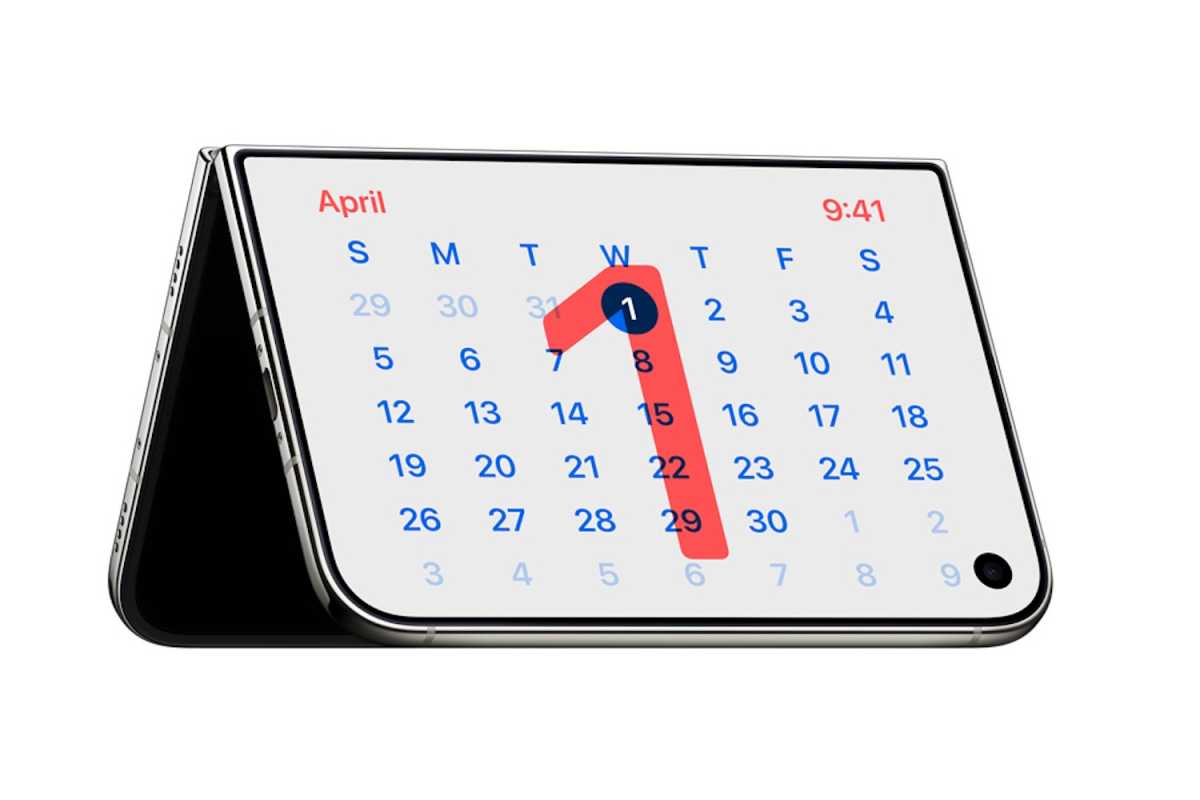
An expensive desk calendar.
Apple
Apple has put a significant amount of its own communications silicon into the iPhone Duo.
It uses Apple’s new C2 cellular modem, replacing Qualcomm silicon. Apple says C2 introduces AI-powered improvements to cellular quality and reliability and supports mmWave 5G in the U.S.
The N1 wireless networking chip provides:
Wi-Fi 7 with 2×2 MIMO
Bluetooth 6
Thread networking
The USB-C port also supports USB 3 data transfers at up to 10Gbps and DisplayPort video output.
The Duo also has Apple’s second-generation Ultra Wideband chip, NFC and precision dual-frequency GPS.
It is eSIM-only worldwide, something that had been widely rumored before launch. Eliminating the SIM tray gives Apple additional internal space for its batteries.
Satellite capabilities include:
Emergency SOS via satellite
Roadside Assistance via satellite
Find My via satellite
Messages via satellite
Battery, MagSafe and charging: What’s available?
Instead of one battery spanning the body, the iPhone Duo contains two rechargeable lithium-ion batteries, with one high-energy battery fitted into each half of the device. Apple’s energy-balancing algorithms make them operate as a single battery system.
Apple rates battery life at:
Up to 24 hours of typical use
Up to 44 hours video playback using the outer display
Up to 31 hours using the inner display
Up to 37 hours streamed video on the outer screen
Up to 26 hours streamed video on the inner display
Apple has not disclosed the batteries’ combined capacity in mAh. The pre-launch rumor of approximately 5,000-5,500mAh therefore remains unconfirmed.
Wired charging can take the Duo to 50 percent in around 20 minutes with a 60W-or-higher USB-C adapter.
Despite earlier uncertainty, MagSafe is supported, with wireless charging at up to 25W. Qi2 charging also reaches 25W. Apple says a 35W-or-higher adapter and MagSafe charger can bring the battery to around 50 percent in approximately 30 minutes.
iPhone Duo price: How much does it cost?
The iPhone Duo starts at $1,999 in the U.S. and £1,999 in the U.K. for 256GB.
Prices are:
Storage
Price
256GB
$1,999/£1,999
512GB
$2,199/£2,199
1TB
$2,599/£2,599
2TB
$3,199/£3,199
The 256GB starting capacity means Apple has not created an unusually low-storage entry model simply to make the headline price look lower.
iPhone Duo vs iPhone 18 Pro pricing
The iPhone 18 Pro starts at $1,199/£1,199, while the iPhone 18 Pro Max starts at $1,299/£1,299. That makes the Duo approximately $700/£700 more expensive than the Pro Max at entry level.
That premium buys the folding display, precision hinge, titanium structure, second screen and more complex dual-battery design rather than superior cameras: in several areas the iPhone 18 Pro models are actually better equipped.
Reports before the launch suggested the Duo could cost anywhere from around $1,999 to $2,399 at entry level, largely because of the folding OLED display, hinge mechanism, titanium components and other expensive parts. Apple ultimately landed at the very bottom of those predictions.
Should you buy the iPhone Duo?
The iPhone Duo is the iPhone to buy if you genuinely want a phone and small tablet in one device. Its 7.6-inch display, multitasking features, A20 Pro performance and clever fold-specific camera modes offer capabilities no other iPhone has.
But at $1,999/£1,999 it is enormously expensive, and there are significant compromises: no Face ID, no dedicated telephoto camera, no variable aperture and no Action button.
For photography, battery life and conventional everyday use, the iPhone 18 Pro Max is likely to be the better-value flagship. Buy the Duo because you want the folding experience, not because it is simply the “best” iPhone.
The always-on display is a brilliant feature, particularly on the Apple Watch, where it makes the smartwatch look just like a proper watch. With the iPhone 14 Pro, Apple began incorporating a similar technology into the iPhone. Starting with the iPhone 17, Apple included the always-on display on all models except the iPhone 17e.
But how does the always-on display affect an iPhone’s battery life? After all, the battery has to power the large screen almost constantly. There are situations where the always-on display is switched off, despite the setting being enabled: in Sleep mode, when the iPhone is lying face down, when a paired Apple Watch isn’t nearby, or when CarPlay is activated in the car.
I ran a few tests to compare battery life when the always-on display is activated, and compared the results to when the display turns off when it’s not in use. Surprisingly, the results aren’t as drastic as one might think.
Testing battery life
My two weeks of testing involved an iPhone 17 running iOS 27 Beta 3. In the first week, I used the iPhone daily with the always-on display. In the following week, the screen was switched off. From the recorded data, I extracted the battery statuses at 15-minute intervals for each day and categorized them as Always On and Always Off. This yielded 672 data points in each category.
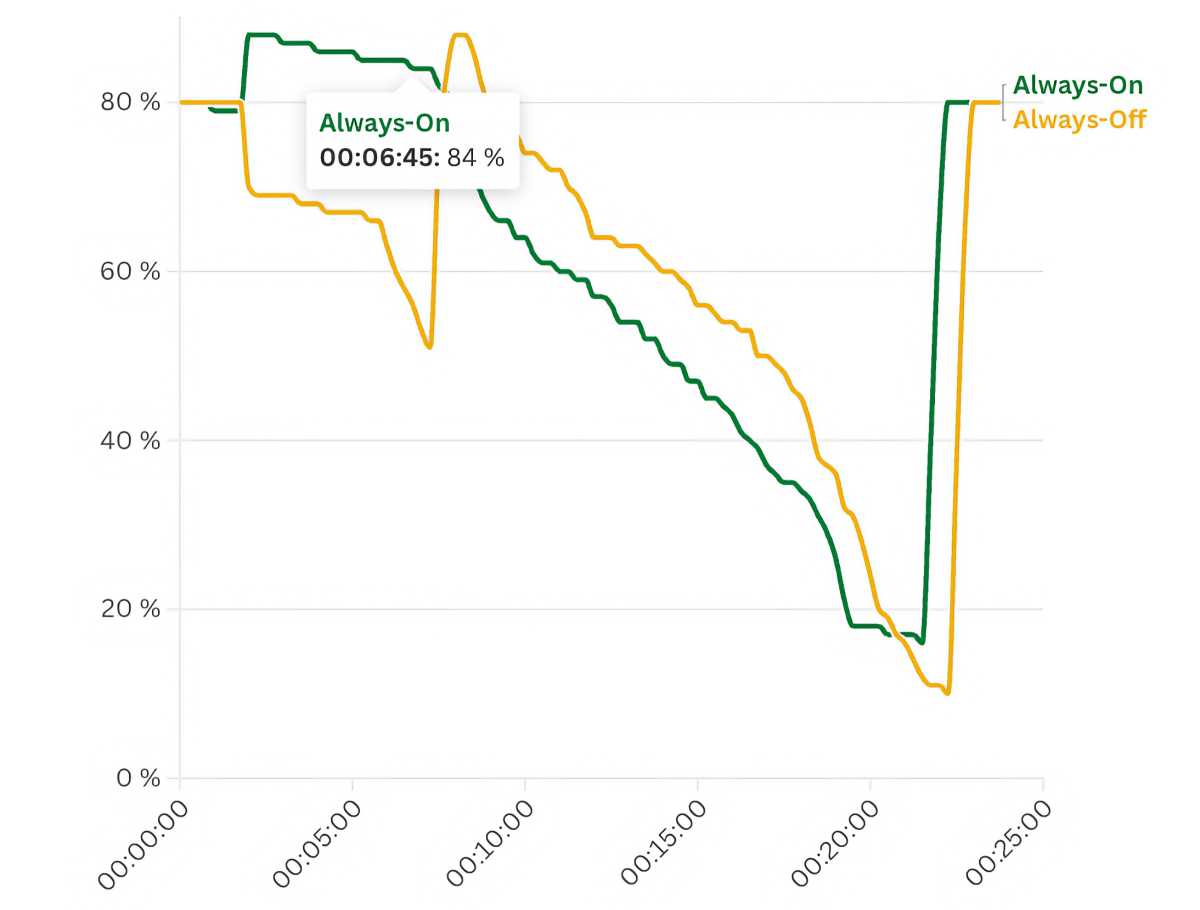
Effect of always-on display on the iPhone battery
Foundry
If you filter out the rows in both datasets showing the battery level when the iPhone was being charged, and calculate the discharge rate per hour, it turns out that the iPhone discharges at an average rate of 4.27 percent per hour when the display is always on. For an iPhone with the display deactivated, this rate is 3.75 percent per hour. The discharge rate during the day, from 8 a.m to 11 p.m., was 5.88 percent with the always-on display activated, and 5.37 percent with it off.
As can be seen from the data in the graph above, both discharge curves run almost parallel. There are no major discrepancies between the different settings that would suggest the always-on display being switched off has a significant effect on battery life. The t-test, which precisely calculates the significance of a factor, also yields a p-value of 0.3011 in this case. Significance is established at a p-value of 0.05 or less. This means that whether the always-on display is enabled or disabled has no significant effect on battery life.
Our measurement data supports what Apple claimed when introducing the always-on display in 2022. When the screen is locked, it is throttled down to 1Hz, which reduces power consumption. In the chaos of everyday life, which is influenced by user behavior, signal strength, and outside temperatures, whether the screen is on or off does not make a significant difference.
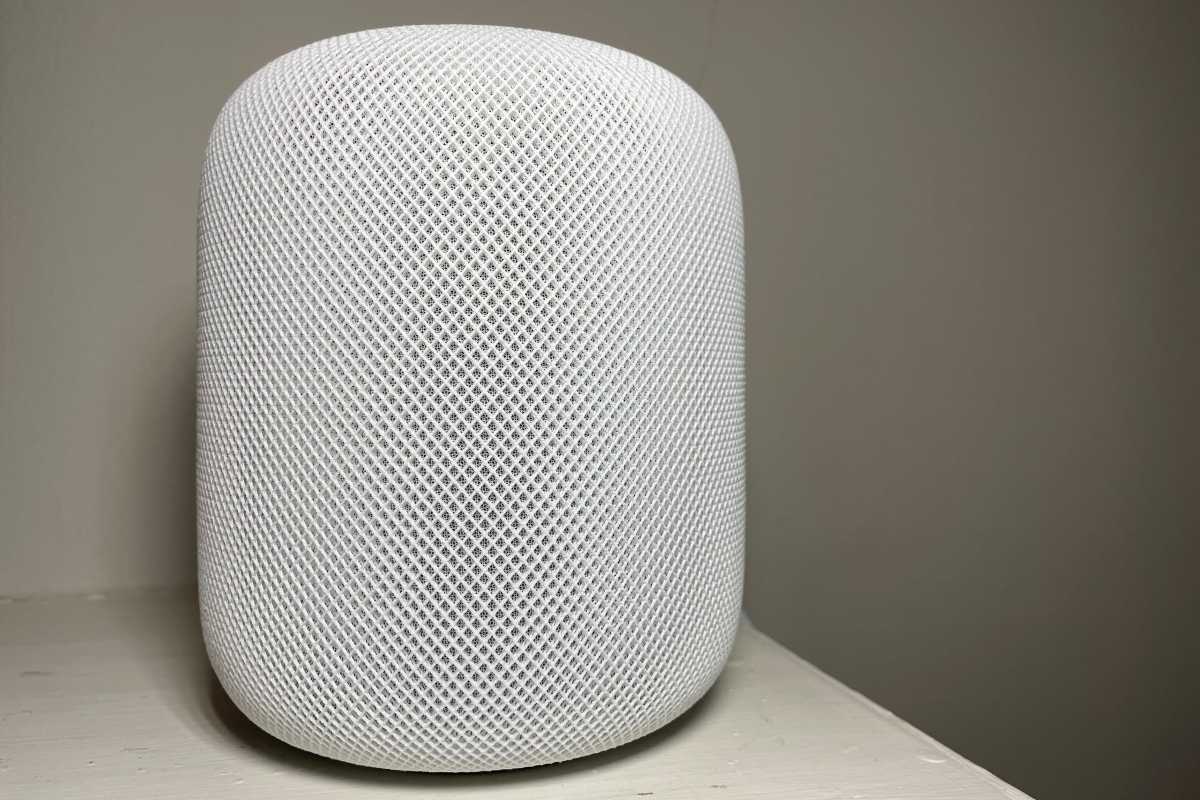
Apple’s HomePod lineup could be about to undergo its biggest expansion since the original HomePod launched. Apple is reportedly preparing a new HomePod mini and smart home display for October 13, with another full-size HomePod expected further down the line, as it builds a new generation of home products around Siri AI.
For much of 2025 and 2026, Apple’s revamped Siri was the thing holding those products back. That’s no longer the case: Siri AI has now arrived with Apple’s OS 27 updates, removing one of the biggest obstacles to launching the new hardware. The HomePod mini 2 appears to be particularly close, with Apple code discovered in September 2026 revealing images of the unreleased speaker and its five colors, while Bloomberg’s Mark Gurman reported in July that a new HomePod mini, Apple TV and smart home display are among Apple’s upcoming home products.
The naming is less straightforward. “HomePad,” “Smart Home Hub,” “Personal Hub” and “HomePod Touch” are all placeholder names being used for different rumored products or concepts, rather than confirmed Apple names. In this article, we’re using “HomePad,” “Smart Home Hub” and “Personal Hub” for the standalone smart display reportedly being developed for smart-home controls, Siri AI and video calls, while “HomePod Touch” refers specifically to reports about a HomePod-style speaker with an integrated touchscreen.
There may ultimately be some overlap between these products, and some of the rumored concepts could be combined, renamed or never released at all. Below, we separate what is currently known about each device and when it is likely to arrive.
What are the new HomePod products?
Apple is reportedly developing several new HomePod and smart-home products. The names below aren’t official Apple names; where necessary, we’re using placeholder names to distinguish between the different rumored devices.
Apple’s next generation of smart-home products appears to have been delayed largely because of Siri. The company was developing a much more capable version of Siri for Apple Intelligence, while the processors inside the current HomePod mini and second-generation HomePod weren’t designed to run Apple’s latest AI features.
That created a problem for new HomePod hardware. Apple was reportedly preparing products such as a new HomePod mini and smart home display around the capabilities of the redesigned assistant, but Siri’s delayed development meant the hardware couldn’t launch as originally expected.
That situation has now changed. Siri AI arrived with Apple’s OS 27 updates in September 2026, removing one of the main dependencies that had been holding back Apple’s smart-home plans. Recent reports suggest the HomePod mini 2 and Apple’s smart home display are among the products closest to release.
The full-size HomePod appears to be on a different timetable, however. Bloomberg’s Mark Gurman reported in September that Apple is testing a new full-size HomePod with Siri AI support, but said it “doesn’t appear to be imminent.” That means we no longer expect the HomePod 3 to necessarily arrive alongside the HomePod mini 2.
HomePod mini 2 rumors
We’ll start off with the rumors about the HomePod mini 2. The HomePod mini is Apple’s smaller, more affordable smart speaker. The new model is expected to offer a new red color option, major processor upgrade and improved connectivity.
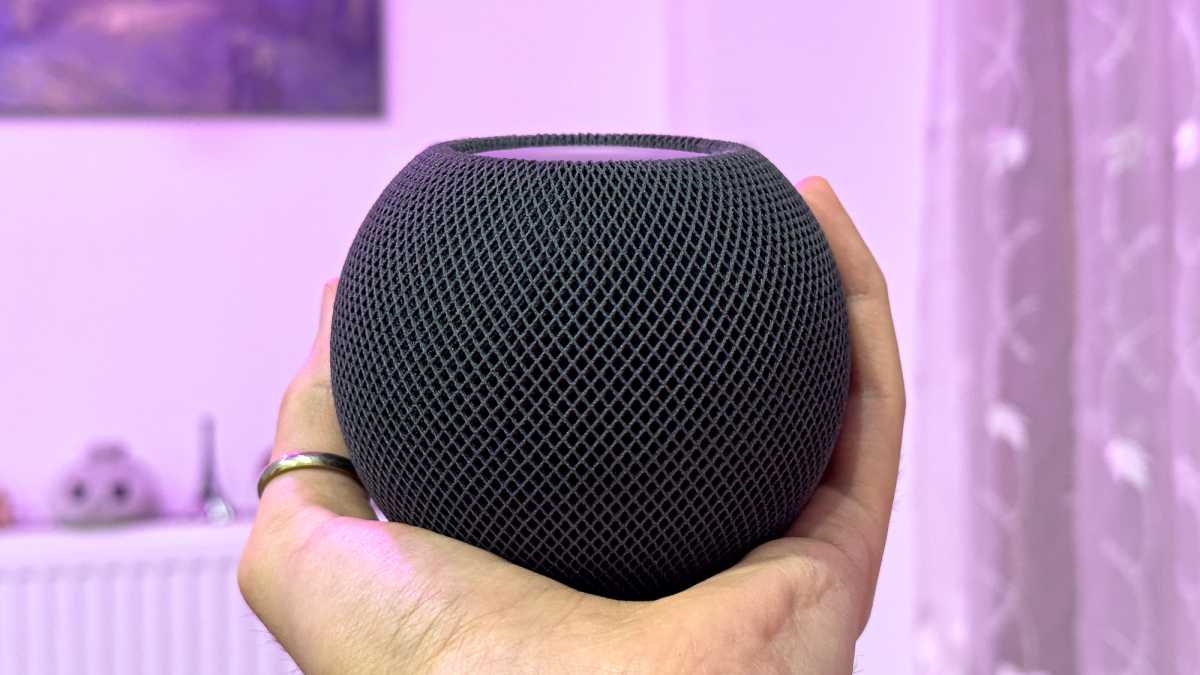
Foundry
When is the HomePod mini 2 expected to launch?
October 2026
Apple introduced the original HomePod mini in November 2020, so it is now nearly six years old and overdue for an update.
Rumours of a successor have circulated for more than a year. In January 2025, reports suggested a launch toward the end of 2025, and Bloomberg’s Mark Gurman subsequently said that new HomePod mini and Apple TV models were expected in fall 2025. Those products never materialised.
Attention then shifted to spring 2026, with reports suggesting Apple’s new smart home devices would launch alongside its redesigned Siri. However, that timetable also slipped as Apple continued work on its AI-powered assistant.
The latest reports now point to an October 2026 launch. According to Bloomberg’s Mark Gurman, Apple has several smart home products that are nearly ready but is waiting for the redesigned Siri to ship with the OS 27 updates before introducing new hardware.
If those plans remain on schedule, the HomePod mini 2 is expected to launch alongside Apple’s broader refresh of its smart home lineup this fall, with most reports pointing to October.
What changes are coming to the HomePod mini 2?
Black, blue, green, pink, and white color finishes.
The current HomePod mini is available in Midnight, White, Blue, Yellow and Orange. In September, MacRumors spotted Apple code that revealed five colors for the new model: black, blue, green, pink, and white.
Bloomberg’s Mark Gurman reported in September 2025, that Apple has tested additional colors for the next-generation model, including red, but it appears that red didn’t make the final cut.
Otherwise, the HomePod mini 2 is expected to retain the same compact, spherical design as the current model, with no major external changes rumored. Instead, Apple is reportedly focusing on upgraded internal hardware, including an S9 or newer chip capable of supporting Apple’s latest Siri AI features.
Other changes coming to HomePod mini 2
Beyond the color changes revealed in Apple code, the main expected hardware upgrade is a newer processor capable of supporting Siri AI. Reports also point to newer Apple networking and Ultra Wideband hardware, along with possible audio improvements.
Siri AI support: A newer processor should allow the HomePod mini 2 to support Apple’s latest Siri AI features, something the current S5-based model wasn’t designed for.
Improved connectivity: Reports have pointed to Apple’s newer in-house networking hardware, Wi-Fi 6E and an upgraded Ultra Wideband chip.
Audio improvements: Apple is expected to upgrade the speaker’s audio hardware and processing.
Other internal upgrades: Further hardware refinements are possible.
HomePad/Smart Home Hub rumors
Possible launch: October 13, 2026, according to Bloomberg
Strategy: A new smart-home display category for Apple
HomePad release date
Apple’s first smart home display could launch on October 13, 2026. Bloomberg’s Mark Gurman now reports that Apple plans to introduce its new smart-home products on that date, with the long-rumored home hub expected to be the centerpiece of the launch. Apple has not confirmed the date, and Gurman’s report does not say whether the products will be unveiled at an event or announced through Apple’s website.
The product had originally been expected earlier in 2026, but its launch was repeatedly pushed back while Apple completed the Siri AI technology that arrived with its September OS 27 updates. Gurman previously reported that the hardware had been ready for some time, with Siri the main reason for the delay.
Apple’s own software has also provided evidence that the product is approaching launch. References discovered in macOS identify J490/HomeAccessory17,1 and J491/HomeAccessory17,2, which are believed to correspond to the tabletop and wall-mounted versions of Apple’s smart home hub.
Earlier reports had only narrowed the launch window to 2026, while a March post from leaker Kosutami hinted at a fall release. Those reports have now been superseded by Gurman’s more specific October 13 timeframe.
The latest reports suggest that it will be considerably smaller than many earlier concept images implied. A six-inch square display would measure only about 4.25 inches across each side, making it much more of a close-up personal device than an iPad-sized family display. It is likely to be more “desk scale” than “room scale.”
Apple’s new Siri AI is expected to be central to the HomePad experience. Its delayed development appears to have been one of the main reasons the hardware did not launch earlier.
Foundry / ChatGPT
HomePad design, features and specs
Reported features include:
6-inch display: The latest Bloomberg report points to a six-inch display with rounded corners, making the device considerably smaller than many earlier renders suggested.
iMac G4-style tabletop design: The standard model is reportedly mounted above a circular metal speaker base on a polished metal arm, with a design said to be reminiscent of the classic iMac G4.
Tilting display: The screen is reportedly designed to tilt forward and backward manually.
Wall-mounted version: A second model is reportedly designed to mount on a wall, with a thin square base containing the speakers and microphones.
No battery: The device is expected to remain plugged in, reportedly using USB-C for power.
Siri AI: Apple’s new Siri technology is expected to be central to the device.
Smart-home controls: It should act as a central interface for Home accessories.
FaceTime and communication: A front-facing camera is expected to support FaceTime calls.
User recognition: The device is reportedly designed to recognize household members by face and voice, then display that person’s own calendar, reminders, notes and other information.
Visitor mode: Reports suggest it will be able to hide personal information when guests are using the device.
iPhone authentication: A nearby iPhone may be used for stronger authentication when required.
Other software clues and reports suggest the device could also offer:
Apple apps and services: Reports specifically mention Calendar, Messages, Photos, FaceTime, Notes, Reminders, Music, Podcasts and smart-home controls.
Entertainment: The device is also expected to function as an entertainment hub for streaming music and video, as well as making FaceTime calls via a built-in camera.
New home-focused software: The device is reportedly running a new interface combining elements of Apple Watch, Apple TV and iPhone/iPad software, including widgets, clock faces and photo displays rather than simply running iPadOS.
No App Store expected at launch: Current reports do not mention an App Store, suggesting the HomePad may initially operate more like a dedicated smart-home appliance than a general-purpose iPad.
Other clues about HomePad software:
Kitchen integration: A new “CookingKit” framework and expanded food sections in Apple News indicate that kitchen assistance, such as searching for recipes by ingredient, could be a primary selling point.
Advanced home control: Code found in the iOS 26 Home app describes an “Adaptive Temperature” feature, which could allow the HomePad to offer more granular control over smart thermostats, including energy-saving optimizations based on local electricity rates.
HomePod 3 rumors
The larger HomePod is more expensive than the HomePod mini, delivering richer, louder audio with deeper bass and spatial audio. The next generation is expected to get a processor upgrade, improved connectivity and better sound.
Michael Brown/Foundry
When is the HomePod 3 expected to launch?
Release date: Unknown; not expected imminently
Bloomberg’s Mark Gurman reported in September 2026 that Apple was testing a new full-size HomePod with Siri AI support, but that the release did not appear to be imminent.
What changes are coming to the HomePod 3?
Unlike the HomePod mini 2, there are relatively few leaks about hardware upgrades coming to the full-size HomePod. However, it’s expected to receive the same core internal upgrades needed to support Apple’s AI ambitions.
Expected improvements include:
More powerful chip: The current HomePod uses the S7 chip from the Apple Watch Series 7. A next-generation model is expected to adopt a significantly faster Apple silicon chip, potentially the S9 or newer, to support Apple Intelligence features.
Siri AI support: The upgraded hardware should allow the HomePod to run Apple’s new Siri AI features that aren’t supported by the current S7-based model.
Improved Connectivity: Rumours point to Apple’s in-house networking chip, together with Wi-Fi 6E and an upgraded Ultra Wideband chip for improved performance and smart home integration.
Audio Enhancements: Apple is also expected to refine the speaker system with upgraded drivers and audio processing.
In September, a post by itspdfu, who has a history of posting leaks online, said that audioOS27, the operating system for HomePod devices, supports Siri AI. The same source claimed that a future HomePod could also include new animations for its top display.
Beyond these internal upgrades, some reports suggest Apple is experimenting with a HomePod featuring a built-in display. That device is expected to be a separate product rather than a standard HomePod 3, and we cover those rumours in the next section.
HomePod with touchscreen (HomePod Touch) rumors
Apple has been rumored to be working on a HomePod with a screen for years, although exactly what form that product will take remains unclear. Older reports have described a HomePod-style speaker with an integrated touchscreen, sometimes referred to unofficially as a “HomePod Touch.”
There is considerable uncertainty here because some older reports about a “HomePod with a display” may describe the same product that more recent reports characterize as Apple’s HomePad or smart home hub. We are treating the HomePod Touch separately here only where reports specifically describe a HomePod-style speaker with an integrated screen.
That is a little more internally consistent and makes the distinction from the HomePad clear without implying that the HomePod Touch is definitely a separate product.
Foundry and Apple
When could the touchscreen HomePod launch?
Possible launch: Unknown
Apple has been working on redesigning the HomePod to include a display for some time. Back in March 2023, analyst Ming-Chi Kuo claimed Apple would “unveil a redesigned HomePod featuring a 7-inch panel.” Kuo initially expected this product to arrive in the first half of 2024, but that timeline slipped. In December 2024, he reported further delays had pushed the launch to after WWDC 2025, citing software development challenges. Then, in March 2025, Kuo suggested the device had been delayed again, due to Apple Intelligence setbacks.
Those predictions have all passed without a product appearing. Siri AI has since arrived, but there is currently no firm report giving this touchscreen HomePod a new launch date. It is therefore possible that earlier reports referred to a product that has evolved, been delayed further, or overlaps with Apple’s separately reported HomePad project.
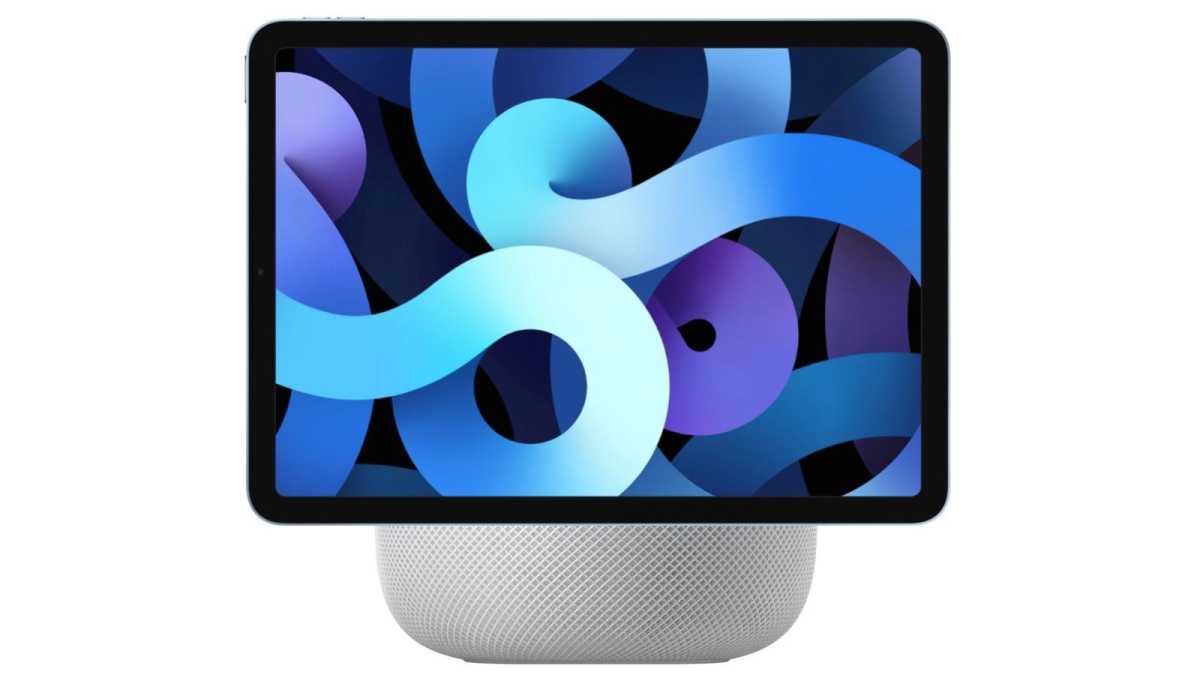
HomePod with display incoming?
Foundry
What could the touchscreen HomePod be like?
Display size: 6 and 7-inch touchscreens.
Software: Custom touchscreen operating system running apps like Weather, Calendar, Photos, HomeKit as well as Apple Music
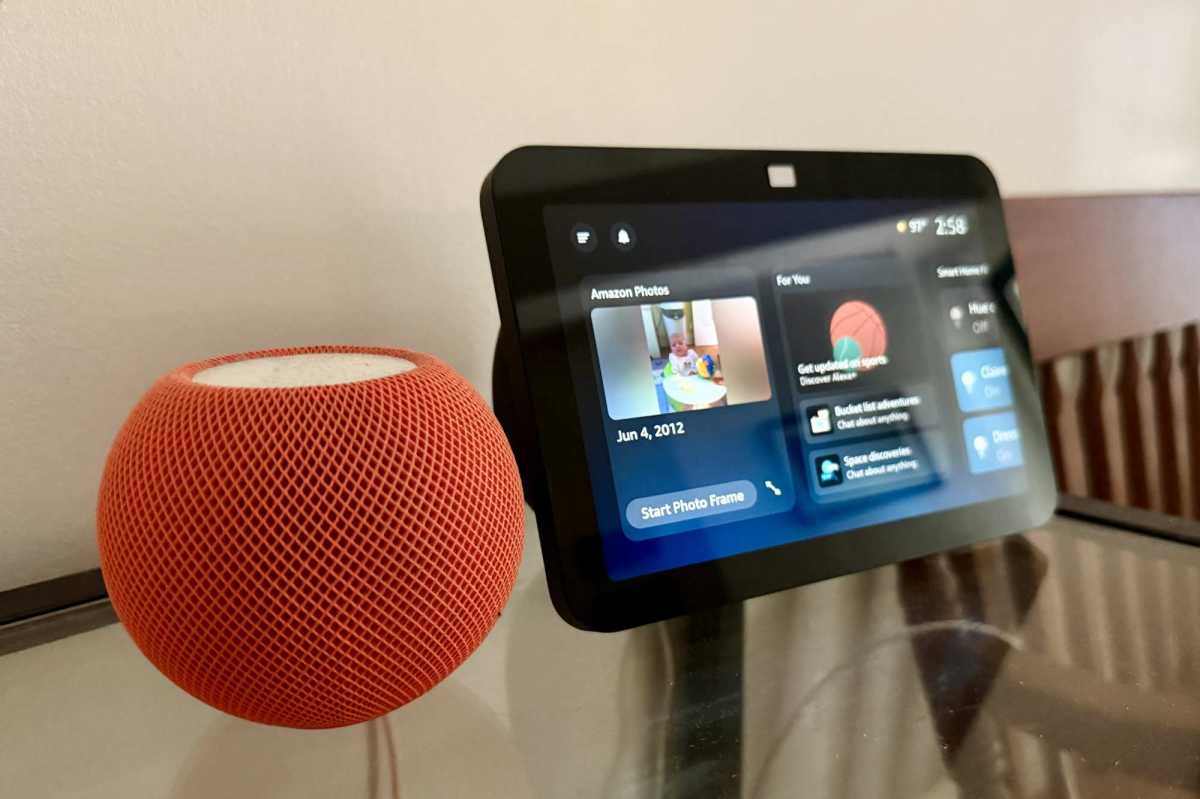
One of the biggest limitations of today’s HomePod is that almost every interaction relies on Siri. A built-in display would provide a more direct way to control music, manage smart home devices and access information, putting Apple’s device in direct competition with the Amazon Echo Show and Google Nest Hub.
According to current rumours, Apple’s display-equipped HomePod will feature a 6-7-inch touchscreen and run a touch-optimised version of homeOS, allowing it to function as both a smart speaker and a smart home hub. Unlike existing HomePods, it is expected to use a far more powerful A-series chip – possibly an A18 or similar – to support Apple’s redesigned AI-powered Siri and the more demanding graphical interface.
Rumoured features:
Large touchscreen: A 6-7-inch display for controlling smart home devices, viewing photos, checking the weather, following recipes and interacting with apps.
Powerful Apple silicon: An A-series chip is expected to replace the S-series processor used in current HomePods, providing the performance needed for Apple Intelligence and the touchscreen interface.
Smart-home controls: A touchscreen HomePod would logically offer easier access to Home controls, although reports about apps and a dedicated smart-home interface may refer instead to Apple’s separate HomePad project
Improved connectivity: Apple’s in-house networking chip, Wi-Fi 6E and an upgraded Ultra Wideband chip are all rumoured.
FaceTime camera: Reports suggest Apple may include a built-in camera for FaceTime and other video-based features. These could instead relate to Apple’s separate HomePad project.
Possible modular design: Some less-established reports have suggested that a display could dock with a speaker base. This has not been corroborated by the more recent reports describing Apple’s HomePad.
If accurate, this would represent Apple’s biggest expansion of the HomePod lineup since its debut, transforming it from a voice-first speaker into a full smart home controller.
Amazon Echo Show beside the HomePod mini,
Ben Patterson/Foundry
Apple robotic home display rumors
Possible launch: 2027 or later
Strategy: A premium smart-home device with a movable display
Apple is also developing a much more ambitious smart-home device that shouldn’t be confused with the HomePad expected first (see above).
The device, previously identified as J595, is reportedly an iPad-like display attached to a motorized robotic arm. The arm would allow the screen to move and reposition itself, potentially following a person around the room during FaceTime calls or turning toward whoever is speaking.
Bloomberg has described it as a higher-end smart-home command center that could combine videoconferencing, home controls and security functions. Unlike the stationary HomePad, this appears to be a significantly more complex—and probably more expensive—product. Earlier reports have suggested a price that could reach around $1,000.
The robotic display is also believed to be further away than the HomePad. Previous reports placed it in late 2026 or 2027 at the earliest, and Apple’s more recent software leaks have focused on the J490 and J491 stationary home hubs rather than J595.
What could the robotic display do?
Reported capabilities include:
A large display mounted on a motorized arm.
Automatically turning toward the person using it.
FaceTime and other video calling.
Siri AI and smart-home controls.
Cameras and gesture recognition
Reports suggest cameras could support FaceTime, security monitoring and potentially recognition of users or gestures. Apple has also previously filed patents describing HomePod-related gesture controls, although patents do not necessarily indicate features destined for a shipping product.
What chips will power the new HomePods?
The biggest limitation of today’s HomePods isn’t their speakers – it’s their processors. The HomePod mini still uses the Apple Watch S5 chip introduced in 2019, while the second-generation HomePod runs on the newer, but still relatively modest, S7 chip from the Apple Watch Series 7.
Those chips are powerful enough for music playback, Home controls and existing Siri functions, but they were not designed to run the new Siri AI capabilities introduced with Apple’s OS 27 generation.
That hardware gap helps explain why Apple is expected to introduce new HomePod hardware rather than bringing the full Siri AI experience to the existing models.
HomePod mini 2 & HomePod 3
Gurman has said the main hardware change he has specifically reported for the new HomePods is a faster chip, although he has not identified which processor Apple will use.
HomePod with a screen
The display-equipped HomePod is expected to require substantially more processing power than Apple’s existing smart speakers. Because it will reportedly run a touch-based operating system alongside Apple Intelligence, most analysts expect it to use an A-series processor, with an A17 Pro or A18 among the leading predictions. Apple has not confirmed the chip, and these reports remain speculative.
Whatever processors Apple ultimately chooses, the goal appears to be the same across the entire HomePod range: replacing ageing Apple Watch chips with modern Apple silicon capable of delivering the full Apple Intelligence experience.
New HomePod Prices
The prices for the HomePods increased in June 2026:
HomePod: $349/£349 (was $299/£299)
HomePod mini: $129/£129 (was $99/£99)
Apple raised HomePod prices in June 2026, so we wouldn’t expect the new models to return automatically to the previous $99/$299 price points.
However, a HomePod with a built-in screen could command a higher price. It may launch as a separate product altogether, potentially starting around $399/£399, or higher, depending on features.
Buying advice: Should you wait or buy a HomePod now?
Wait if: You are considering a HomePod mini. A replacement now appears close, with reports pointing to fall 2026 and Apple code already revealing the unreleased model.
Buy now if: You need a HomePod immediately and find a worthwhile discount. The current HomePod and HomePod mini still work well as speakers and smart-home hubs, but their older processors mean they aren’t designed for Apple’s newer Siri AI capabilities.
If you want a screen: Wait. Apple’s first dedicated home display appears much closer than the more speculative touchscreen HomePod.
What is on Apple’s Smart Home Roadmap
September 2026: Apple’s OS 27 generation introduced its new Siri AI capabilities, removing one of the major software dependencies that had reportedly delayed Apple’s new home hardware.
Fall 2026: The HomePod mini 2 is expected, with October currently the leading possibility.
Fall 2026: Apple’s HomePad/smart home display could also launch, although its timing is less certain.
Beyond 2026: A new full-size HomePod is being tested, but Bloomberg reports that it does not appear imminent.
2027 or later: Apple’s more ambitious robotic home display could follow.
Timing unknown: Apple is also reportedly developing home-security camera hardware.
Apple may be less than two weeks away from releasing an all-new product in a new device category: a smart home hub. The device is said to be the start of a big push into the smart home category, which Apple has really only dabbled with so far. Bloomberg’s Mark Gurman says Apple is finally set to announce it on October 13, after years of waiting for the new Siri AI to arrive, which will play a central role in the new device.
According to the most reliable leaks and rumors, this is what we know of the device’s design and operation:
It will have a square aspect ratio with rounded corners and a 6-inch (diagonal) display.
It won’t have a battery, relying instead on USB-C for power.
It will have a metal, round base with perforated holes for the speakers and microphones.
It will attach to the countertop base via a polished metal arm, “reminiscent” of the classic iMac G4.
It will have a single front-facing FaceTime camera.
Additionally, the device is said to run on a new operating system that combines the “StandBy” type widgets and display of the iPhone, screens and faces like the Apple Watch, and some of the media capabilities of Apple TV. A secondary version that mounts to a wall is said to be in the works, too.
There will be clocks and photo displays, of course, but the device will primarily control smart home devices via a Home app of sorts, and include Apple Music, Calendar, Podcasts, Messages, FaceTime, News, Notes, and Reminders. There is no reported mention of an App Store, so it appears as though this is an accessory rather than a standalone platform.
A core feature is said to be user recognition. Since this is meant to be stationary in your home and not portable, it has to work for all the people in your house. So it recognizes people via their face and voice, and then customizes the display to their own preferences, showing their own data and accessing their own calendar, notes, reminders, and so on.
But if you’re expecting an iPad-like experience, think again.
A tiny 6-inch display
Apple sites like ours have been reporting on this so-called HomePad for ages. Apple has had it more or less ready to go for a long time, but it will rely on Siri for use, and Siri only just got its big brain transplant, so the home hub has sat on the back burner. We’ve largely envisioned a larger device that can act as a centerpiece of a room, something like an iPad or a small iMac.
But based on the latest rumors, most of the renders and mock-ups you see online have the scale all wrong, and it may have given you the wrong impression of its size.
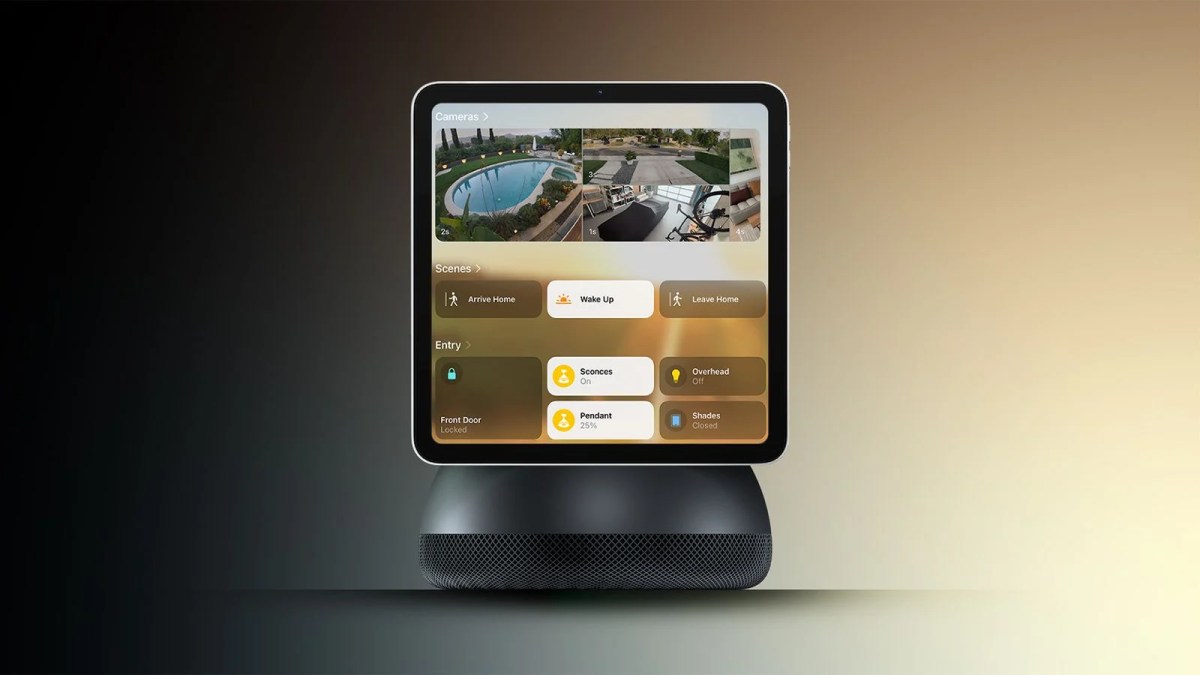
Over at MacRumors, you will have seen the above mockup, with the square screen over what looks a lot like an iMac G4 base. There’s no scale present, so of course it could be tiny, but the size of the text and number of tiles on the screen makes it seem like it’s hovering over a big iMac G4-like base. That makes the display appear closer to 8-10 inches on a side, or maybe 12 inches diagonal.
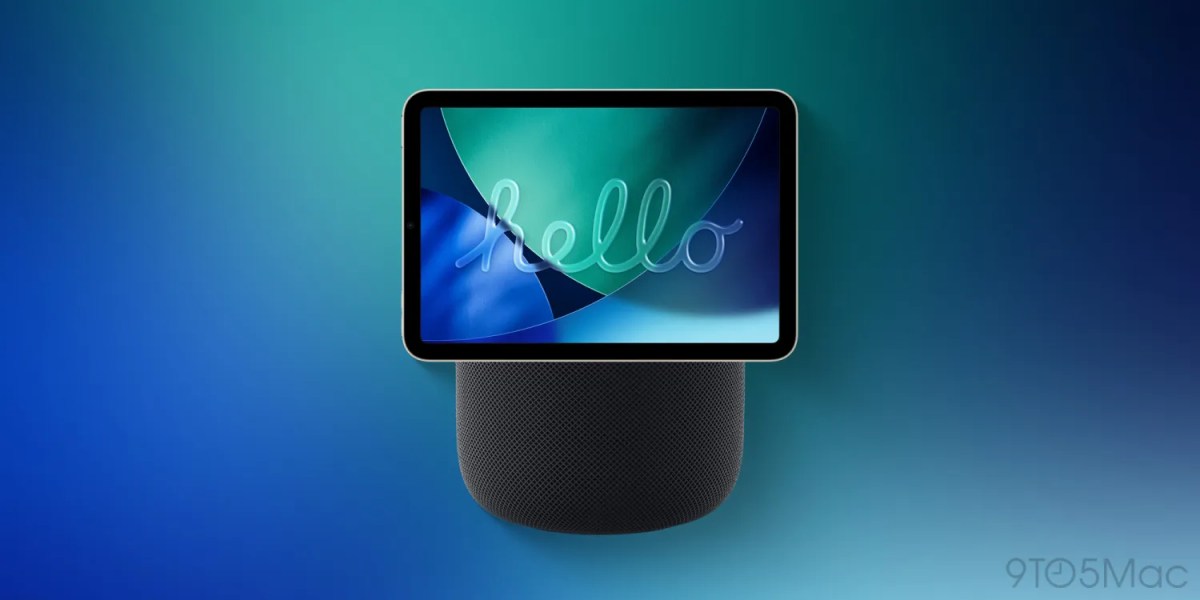
Mockups like this one from 9to5Mac are common, too, with a display (in this case not square) on top of a standard HomePod. The regular HomePod is 5.6 inches wide. So this mockup shows a screen at least 7 inches wide, or 8.75 inches diagonal.
A square display with a diagonal measurement of 6 inches is only 4.25 inches on each side. That’s only about 1.5 times as wide as an iPhone 18 Pro. Amazon’s Echo Show and Google Nest Hub are both larger than six inches and have widescreen displays. The HomePad will seem minuscule by comparison.
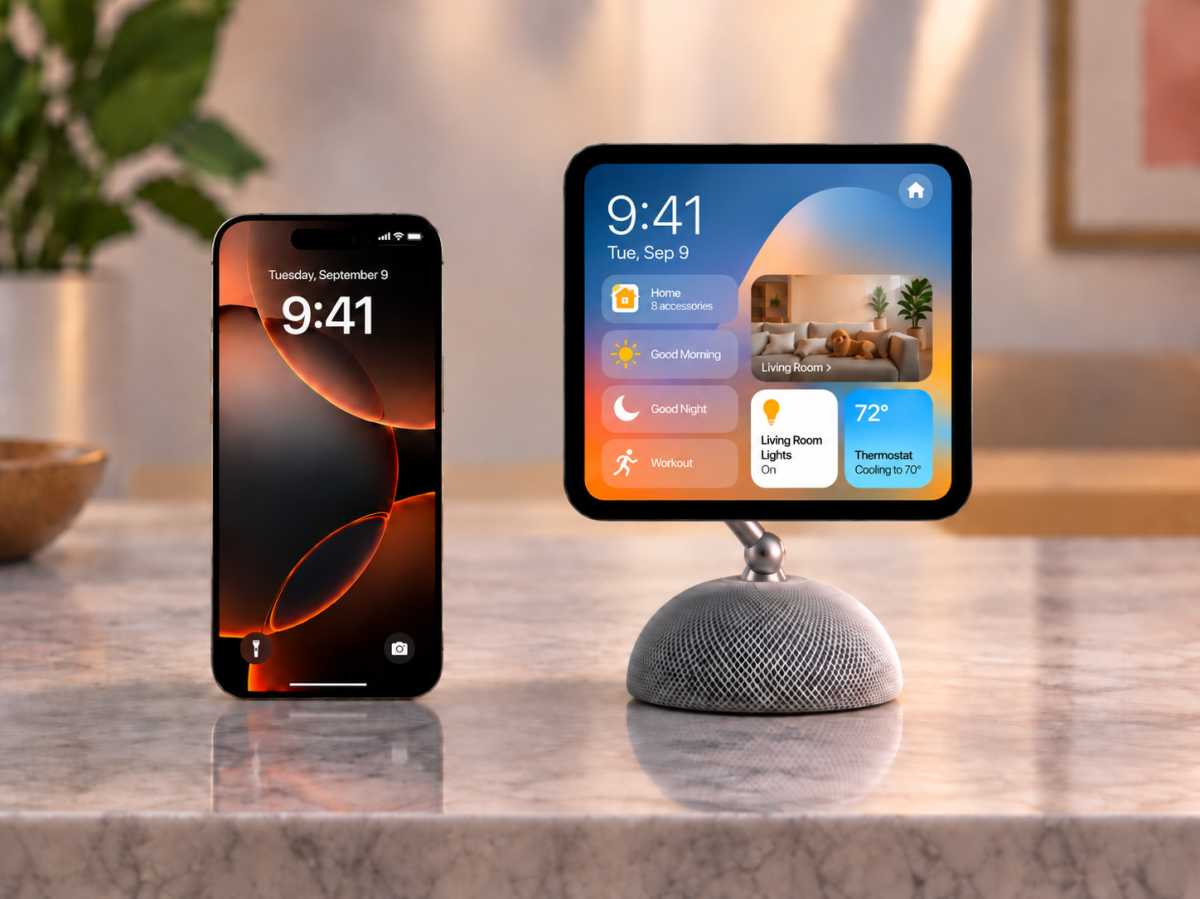
This ChatGPT-generated image of Apple’s upcoming smart home hub gives an idea of how small it might be, according to rumors.
Foundry / ChatGPT
Our shameless AI-generated mockup shows what that would look like to scale. Perhaps the base will be a HomePod mini-like half-dome. Maybe it will be more of fat, round coaster. But a rounded-square 6-inch display is really rather small—for comparison, a regular iPhone is more than 30 percent taller!
This scale makes some sense, especially if Apple is trying to make this an affordable device where you buy several and scatter them around the house. But it also speaks to how Apple intends its customers to use it.
How might you use it?
A square display that is only six inches diagonal makes this device much more like an iPhone on a stick than an iPad, or even an iPad mini. That really limits its usefulness for large rooms. This isn’t the kind of thing you can hope to read while standing 10 feet away or hold FaceTime calls from across your living room. It’s more personal than that.
The ability to use it in the kitchen is going to depend very much on the size of your kitchen and where you put it. With enlarged text, you might be able to read a recipe from five or six feet away, but not much more than that. FaceTime calls are really only going to feel good when you’re right up near it. On the other hand, this becomes the perfect little gadget to sit on your bedside table, working as a smart alarm clock, noise machine, and podcast speaker.
While it doesn’t really make sense as an “across the living room” device, it would fit nicely on the end table next to your couch. It seems to be something that’s a little easier to ignore when you’re not using it, rather than a centerpiece. More like a HomePod mini than an iMac in that way.
It also means the base will be of limited size, and that puts limits on the sound volume and quality. Don’t expect the room-filling sound of the big HomePod, but rather something best for podcasts, audiobooks, or music at a modest volume and close distance.
Of course, we won’t really know what it looks like or how big it is until Apple announces it. The rumors about its design have been remarkably consistent over the last couple of years, but we don’t have leaked CAD drawings or parts from parts suppliers or anything like that to go from to know the scale. If the rumors are accurate, you should expect this home hub to be something “desk scale” rather than “room scale.”
Apple’s September event may not have been Apple’s final event of 2026 – another launch could be coming on October 13.
Apple typically has four main event windows each year: a spring event, WWDC in June, the iPhone event in September, and sometimes a further event in October. The company rarely confirms dates far in advance, and there’s no guarantee it will hold an event in every window. That leaves Apple fans – and anyone considering a new Apple device – wondering when the next event will happen and what might be announced.
Fortunately, Apple’s annual schedule is fairly predictable, while reliable rumours often provide additional clues about what’s coming. That means we can make informed estimates about the timing of future keynotes and the products most likely to appear.
Here’s everything we know about the event Apple could hold later in 2026 and beyond.
When is Apple’s next event?
Next rumored product launch: October 13, 2026. An event remains unconfirmed.
Bloomberg’s Mark Gurman has claimed on X that Apple will launch its “next big thing” on October 13, referring to new smart-home products. Apple has not confirmed the date, and it remains unclear whether the company will hold an event or announce the products through its website and press releases.
Apple hasn’t announced a date for another event in 2026, but it is possible that more new products will launch at an event, or via press release, before the end of the year.
Apple has held October events in the past: in 2023, an event was held on October 30, while in 2021 Apple held one on October 18. With the iPhone Duo launching on October 22, Apple may want to avoid clashing with that launch, making the following week, beginning October 26, a plausible window for another event or product announcements.
What could Apple launch at the next event?
The rumored lineup centers on Apple’s first smart-home display, often called HomePad. Gurman describes a 6-inch screen mounted above a speaker base on a manually tilting arm, plus a separate wall-mounted version. Updated HomePod mini and Apple TV 4K models with faster processors are also expected.
Other rumored launches include new iPads and a touchscreen MacBook Pro, but this report does not establish that they will arrive alongside the smart-home products.
Apple event calendar 2026: What has Apple launched this year?
Timescale
Event theme
Dates
Products
March
Special Experience
2-4 March
Launched: iPhone 17e, MacBooks Neo, Pro & Air, iPad Air
June
WWDC
June 8
Unveiled plans for: iOS, macOS, other software, AI and Siri
September
iPhone event
September 9
Launched: iPhone 18 Pro, iPhone 18 Pro Max, iPhone Duo, new Apple Watch, AirPods 5
October
Rumored smart-home launch
October 13 (rumored)
Possible: HomePad, HomePod mini, Apple TV
Late 2026
Other possible announcements
Unconfirmed
Possible: Touchscreen MacBook, iPads
Spring 2027
TBC
TBC
Expected: iPhone 18, iPhone 18e, iPhone Air 2
Apple has held three events so far in 2026, although the first was not an event in the traditional sense. On March 4, the company invited select media to hands-on “experiences” in multiple locations. In the run-up to that date, Apple launched several products via press release, including the iPhone 17e, M4 iPad Air, and M5 Pro and M5 Max MacBook Pro, M5 MacBook Air and the MacBook Neo.
The second event was WWDC, which began with a keynote on June 8. At the WWDC keynote Apple outlined the upcoming changes to its operating systems, including iOS 27 and macOS 27 Golden Gate.
Here’s when the 2026 Apple events might take place.
Foundry
FAQ
1.
How far in advance does Apple announce an event?
Apple usually announces its events around one to two weeks before they take place, although the timing varies. That means an October event could still be announced fairly late in the month. Apple may also choose not to hold an event at all and instead unveil new products through press releases, as it has done with a number of recent Mac and iPad launches.
2.
What time does the next Apple event start in U.S., U.K. and other global time zones
Apple keynotes usually start at 10 am PT. A future event would likely follow the same pattern. That translates to the following times in the countries where most of our readers live:
U.S.: 10 am PDT, 11 am MDT, 12 pm CDT, 1 pm EDT
Canada: as above, plus 2 pm ADT
U.K.: 6 pm
Europe: 7 pm CEST, 8 pm EEST
India: 10:30 pm IST
Australia: next day — 1 am AWST, 2:30 am ACST, 3 am AEST
New Zealand: next day — 5 am NZST
The timings are generally the same for all Apple Keynotes, but can be slightly different if Apple holds the event during the period of a couple of weeks when the clocks have changed in the U.S. but not elsewhere (in 2026 the clocks will change in the U.S. on November 1, while in the U.K. they change on October 25).
Sometimes Apple holds events at different times, for example, in October 2023 the event was held in late afternoon in San Francisco, which meant it was midnight in the U.K.
If Apple doesn’t hold an event and instead just issues a press release, that usually happens around 8 am PT, 11 am ET and 4 pm U.K. time.
3.
How long do Apple events usually last?
Apple keynotes usually last between one and two hours and feature the CEO alongside various other Apple executives. With John Ternus succeeding Tim Cook as CEO on September 1, 2026, this will be his first major product keynote in the role.
WWDC and the September event tend to be longer keynotes; the spring and late-fall events can be slightly shorter.
For example, the September 2024 event was 1 hour 38 minutes.
4.
How often does Apple hold events?
There can be as many as four Apple events in a year:
Spring Event
WWDC in June
iPhone Event in September
Late Fall Event in October
This event calendar is by no means set in stone, though, with the spring and October events being less regular. Some years, Apple doesn’t hold a spring event at all. In 2025 Apple only held two events, preferring instead to announce new products via press release.
5.
Does Apple take part in other events?
Apple doesn’t participate in major industry trade shows such as CES and IFA. Instead Apple invites the press and industry professionals to Apple Park to hear all about its latest products and services. Apple calls these ‘events’ and it streams them live online to millions of viewers.
6.
Does Apple ever announce products without an event?
Apple frequently announces products without a keynote event, often opting for press releases or multi-day announcement windows. In recent years, the company has increasingly reserved its large-scale media events for major flagship launches, such as the primary iPhone lineup in September, while using press releases for iterative updates or “chip bumps” that may not warrant a full hour-long presentation.
7.
How to watch an Apple event
Apple events are typically broadcast across several digital platforms, allowing viewers to tune in from almost any device. While the company previously restricted access to its own hardware or the Safari browser, these barriers have been removed in recent years.
You can access live Apple presentations through the following official channels:
YouTube: This is often considered the easiest way to watch. Apple streams its keynotes live on its official YouTube channel, which can be accessed via any web browser or the YouTube app on smartphones, tablets, and smart TVs.
Apple.com: The company hosts a dedicated “Events” page on its official website. For the best experience on a PC, it is recommended to use Microsoft Edge on Windows 10 or later.
Apple TV App: The stream is available within the Apple TV app on iPhone, iPad, Mac, and Apple TV hardware. Keynotes are usually listed in the app’s lineup a day or two before the event begins.
Apple Podcasts: Apple also showcases its events through the Podcasts app on Apple devices, where you can watch the video presentation.
You may also like to tune in to our Live Blog which will provide minute-by-minute text updates and analysis as products are announced.
Following the end of the event, detailed breakdowns will also be available on the Macworld Podcast, which can be found on Spotify, Soundcloud, and Apple Podcasts.
Will Apple have a second fall event in 2026?
Apple
Will there be a late fall event in 2026?
The latest reporting points to a smart-home launch on October 13, although its presentation format remains unclear. Apple could announce these products without holding a keynote.
The last time Apple held a late fall event was on October 30, 2023, and before that on October 18, 2021. So while a late fall event would not be unprecedented, it has become relatively uncommon.
Right now, there is no way of knowing whether Apple will hold another event in late 2026, or whether it will continue to launch new products through press releases instead. In the past, October events have often focused on Macs, but in recent years Apple has shown that it does not always consider a dedicated event necessary for Mac launches.
What could Apple launch at the late fall 2026 event?
Apple’s next launch could focus on smart-home products, including the rumored HomePad display, an updated HomePod mini and a new Apple TV 4K. The latter two are expected to feature faster processors that could support Siri AI features.
Other possible launches before the end of the year include the rumored touchscreen MacBook Pro and updates to the iPad and iPad mini. However, it remains unclear whether Apple would announce these alongside its smart-home products, hold a separate event or introduce them through press releases.
Apple’s spring events have become increasingly unpredictable. The company has not held a traditional spring event since May 2024, although it did invite members of the media, including Macworld, to a “Special Apple Experience” in 2026.
Rather than a keynote presentation, the March 4, 2026 gathering was a hands-on showcase that followed three days of product announcements, including the MacBook Neo, iPhone 17e, and M5 MacBook Air.
Will Apple take a similar approach to spring product launches in 2027? It’s certainly possible. The format appeared to work well, allowing each product announcement to receive its own media coverage rather than competing for attention during a single event.
Apple is expected to release three iPhone models in spring 2027 – or it could be two new iPhones, with the Air and iPhone 18 merging.
Apple may also update the MacBook Air with an M6 processor in spring 2027.
When is WWDC 2027?
Foundry
When is the WWDC keynote?
In 2026 the WWDC keynote was on Monday June 8. In 2025 it started on Monday June 9. We expect WWDC will start on Monday 7 June in 2027.
WWDC generally runs from the Monday to Friday in the second week of June.
What Apple could launch at WWDC
WWDC is Apple’s big developer event at which it reveals plans for the operating systems that run on Apple hardware.
In June 2027 we expect Apple to unveil details of iOS 28, iPadOS 28, macOS 28, updates to watchOS, tvOS, HomePod software, and an update to Apple’s realityOS.
Apple sometimes announces new hardware at WWDC, usually the high-end models targeted at power users, so we could see new Macs.
So far in 2026 Apple has held an ‘experience’, which rather than being an event in the traditional sense, was a chance for journalists to get a look at products Apple had launched in the days prior, including MacBook Neo and iPhone 17e. The company also hosted the WWDC keynote on June 8, at which it revealed its plans for Apple Intelligence and Siri in iOS 27, macOS 27 and the other operating systems. Plus Apple held its iPhone launch event on September 9 at which the iPhone 18 Pro and Max, iPhone Duo, Apple Watch Series 12, Apple Watch Ultra 4 and AirPods 5 launched.
In 2025 Apple only held two events. The first was its Worldwide Developers Conference (WWDC) on June 9, at which it introduced the new features coming in the next version of its operating systems, and the second was the huge September 9 Apple Event where it launched new Apple Watches, new AirPods Pro and the new iPhones for 2025.
Apple doesn’t have to hold an event to launch new products though. Prior to WWDC, Apple launched a new iPhone 16e via press release on February 19, a new iPad and iPad Air via press release on March 4, and a new MacBook Air and Mac Studio on March 5.
Apple then went on to launch a new M5 MacBook Pro and M5 iPad Pro in October. No event was held to mark these launches.
In 2024, Apple held three events: one on Tuesday, May 7, at which it launched new iPads; a keynote to kick off WWDC on June 10; and an event on September 9 at which Apple unveiled the new iPhone 16, Apple Watch Series 10 and the AirPods 4. In October 2024 there was no event, but Apple did announce new products (iMac, Mac mini and MacBook Pro) via press release.
In 2023 there were three events: WWDC in June, an iPhone event in September, and Apple’s second fall event on October 30 (or after midnight on October 31 if you weren’t in the U.S.).
In 2022 Apple held three events: a spring event on March 8, WWDC on June 6, and the iPhone 14 launch on September 7. In other years Apple has held four events though.
Foundry
When were Apple’s past events?
Spring Apple events have been held on the following dates:
2026: ‘Experience’ Wednesday March 4
2025: No event
2024: Tuesday May 7
2023: No event
2022: Tuesday March 8
2021: Tuesday April 20
2020: No event
2019: Monday March 25
2018: Tuesday March 27
2017: No event
2016: Monday March 21
2015: Monday March 9
2014: No event
2013: No event
2012: Wednesday March 7
WWDC events have fallen on the following dates:
WWDC 2026: June 8 (8-12)
WWDC 2025: June 9 (9-13)
WWDC 2024: June 10 (10-14)
WWDC 2023: June 5 (5-9)
WWDC 2022: June 6 (6-10)
WWDC 2021: June 7 (7-11)
WWDC 2020: June 22 (22-26)
WWDC 2019: June 3 (3-7)
WWDC 2018: June 4 (4-8)
WWDC 2017: June 5 (5-9)
Here are the past few Apple September event dates:
2026: Wednesday, September 9
2025: Tuesday, September 9
2024: Monday, September 9
2023: Tuesday, September 12
2022: Wednesday, September 7
2021: Tuesday, September 14
2020: Tuesday, September 15
2019: Tuesday, September 10
2018: Wednesday, September 12
2017: Tuesday, September 12
In the past, Apple has held a second fall event on the following dates:
2025: No event
2024: No event
2023: Monday, October 30
2022: No event
2021: Monday, October 18
2020: Tuesday, October 13 and Tuesday, November 10
TL;DR:1min.AI gives you lifetime access to GPT, Claude, Gemini, and more for a one-time payment of $99.99 (reg. $540).
ChatGPT Plus costs $20 a month, and that only gets you OpenAI’s models. 1min.AI puts GPT, Claude, Gemini, and other AI models in one app for writing, images, audio, and video, and a lifetime subscription to the Advanced Business Plan is on sale for $99.99 (reg. $540).
With 1min.AI, you can chat with GPT-5.5 Pro, Claude 4.6 Sonnet, and Gemini 3.1 Pro all within the same window. That means it’s a lot easier to get work done across models, and you don’t have to tab hop if you want to send the same prompt to different tools. Other tools write blog posts, edit images, summarize PDFs, turn text into speech, and generate short videos.
This plan includes 4,000,000 credits a month, enough for up to 1,112,500 words or 1,186 images. You can earn another 15,000 free credits each day by opening the web app, and those credits never expire. Up to 20 team members can share the account, with unlimited storage and unlimited brand voices.
Stop paying for a separate subscription to every AI model you use.
Apple recently updated the Mac mini and the Mac Studio, so on this episode of the Macworld Podcast, we talk about the new chips in those Macs, the speed improvements, and what you get for the money.
The November 1985 issue of Macworld had a Microsoft Excel ad to go along with the release. See below.
Microsoft
Comment Corner
We talked about the Apple Watch Series 12 last week, and said it’s the most significant upgrade since the Series 4. we got a few a comment sabout that on social.
It’s great but literally can’t set a cooking timer
I’m sure it’ll be great for people who actually use and understand all the extra data, but I’m not heavily invested/nerdy regarding this sort of thing so just seems like a lot of stuff I wouldn’t use. Same with all the new granular controls on the iPhone 18 Pro.
It’s been just 12 days since the iPhone 18 Pro went on sale, and some customers are already complaining about their phones. Specifically, at certain times the speakers produce a clicking, crackling, snapping, or “raspy” sound.
As is often the case with such issues, affected parties congregated on a Reddit thread to discuss the problem.
The original poster reports that shortly after setup their new iPhone 18 Pro Max produced a brief clicking or popping noise from the speaker (either upper or lower; the poster seems unclear on this) “almost as if someone is pulling out an aux cord.” This didn’t just happen once. It happened, they report, a number of times “during app switching and [while] playing around with volume and possibly voice dictation.” But it became less frequent over time, and didn’t happen at all in the few hours before the post was made.
In a later edit, they add that “music at high volume sounds raspy as well.”
At the time of writing, there are 29 direct, undeleted and non-mod replies to the post, and by my count at least 21 of these say they’ve experienced the same issue(s). Some report positive conclusions. One says it only happened on phone calls and that since updating to iOS 27.0.1 has stopped entirely. Another says that going into the Phone settings and choosing “Standard” mode rather than “Voice Isolation” led to “way less crackling.”
But some cases appear to be more severe. One commenter, translated from Vietnamese, complains that they “hear random clicking or crackling sounds almost whenever I interact with the screen. Sometimes, I even hear it the moment I touch the screen to wake it up.”
More reports of the issue have appeared on the MacRumors forum. Again, complaints are made about “crackling” sounds, “intermittent popping sounds,” a “super faint tick/pop from the earpiece speaker,” and a different, “very unpleasant” emphasis in the higher frequencies, as compared to the iPhone 17 Pro Max. And again, far too many commenters confirm that they’ve experienced the same issue for this to be dismissed as user error or a single defective unit.
Apple has not yet made a public statement about the issue, but may address it in a software update. Go into Settings and select General > Software Update and follow the prompts to install the latest version of iOS.
Since Apple just released iOS 27.0.1 this week to fix other iPhone 18 Pro launch bugs, however, an imminent update is not guaranteed. In the meantime we recommend that owners of affected phones contact Apple to get them fixed, especially before the two-week return period ends.
Jamf Threat Labs has posted a report on new malware that attacks macOS. The malware installer presents itself as a Zoom installer that actually installs the app, but it also installs an infostealer dubbed CloudSyncD that works in the background to capture data and send it to the attacker.
The installation is presented as an app icon that is dragged to the macOS Applications folder, a common method of installation. However, because the malware lacks the proper signatures, macOS’s Gatekeeper will not allow it to run. To bypass Gatekeeper, the installer window has a background image with instructions for the user on how to override Gatekeeper.
The installation of the app appears legitimate and mounts as a disk image named Zoom laid out to look like any ordinary Mac installer with the application icon on the left and an alias to the Applications folder on the right. However, it also includes user instructions to bypass macOS’ Gatekeeper security,
If CloudSyncD is installed, it monitors and records data that the user has entered. It can send reports to the attackers as frequently as every 8 seconds. CloudSyncD can also be used be the attacker to remotely execute commands.
How to protect yourself from malware
The easiest way to protect yourself from malware is to avoid downloading software from unfamiliar repositories. Apple has vetted software in the Mac App Store, and it is the safest way to get apps. If you prefer not to patronize the Mac App Store, then buy software directly from the developer and their website. If you insist on using cracked software, you will always risk malware exposure.
Never open links in emails or texts you receive from unknown and unexpected sources. If you get a message that looks like it is from an entity that you do business with, check the sender’s email address and inspect the URL carefully. If you see a link or button, you can Control-click it, select Copy Link Address, and then paste it into a text editor to see the actual URL and check it.
Apple’s AirPods lineup falls into three main families: the AirPods 5, AirPods Pro 3 and AirPods Max 2.
For most buyers, the choice is between the AirPods 5 and AirPods Pro 3. AirPods 5 start at $129 and combine an open-ear design with Active Noise Cancellation, while the $249 AirPods Pro 3 use foam-infused silicone tips for a more secure fit and stronger noise isolation, and add heart-rate sensing and Apple’s hearing-health features.
AirPods Max 2 are a different proposition: $549 over-ear headphones aimed at buyers who prioritize sound quality and noise cancellation and specifically prefer an over-ear design.
In this guide, we compare Apple’s current AirPods lineup to explain the key differences between each model and help you decide which is best for you. We look at design and fit, noise cancellation, sound, battery life, health and hearing features, and price, as well as whether it’s worth considering older AirPods at a discount. We also compare AirPods 5 directly with AirPods Pro 3 and explain which AirPods offer the best value for different types of buyer.
Which AirPods are the best?
We recommend AirPods Pro 3 as the best AirPods overall, thanks to their combination of noise cancellation, secure fit, longer battery life and additional health features.
For many people, however, AirPods 5 will be the better buy. They now include Active Noise Cancellation, Adaptive Audio, Transparency mode and Conversation Awareness, closing much of the feature gap with the Pro model while costing substantially less. They’re also the obvious choice if you prefer an open fit rather than silicone ear tips.
AirPods Max 2 are best considered separately. They are over-ear headphones rather than earbuds and cost more than twice as much as AirPods Pro 3, so they make most sense for buyers specifically looking for that style of headphone.
Price comparison from over 24,000 stores worldwide
Best for: Buyers who want the strongest combination of ANC, fit, battery life and features.
Buy AirPods Pro 3 if: You want the best noise cancellation of Apple’s earbuds, longer battery life, a secure in-ear fit or the health and hearing features.
Don’t buy AirPods Pro 3 if: You dislike earbuds that seal the ear canal or don’t need enough of their extra features to justify spending $100–$120 more than on AirPods 5.
For most buyers who don’t object to silicone ear tips, AirPods Pro 3 are the best AirPods you can buy.
Released in September 2025, the third-generation AirPods Pro improved on an already excellent pair of earbuds without increasing the $249 launch price. In our review, Jason Cross praised their more comfortable and secure fit, improved battery life, better noise cancellation and Transparency mode, and effective heart-rate sensor. Taken together, those apparently small changes add up to a significant improvement.
The biggest physical change is the fit. AirPods Pro 3 have redesigned earbuds with foam-infused tips available in five sizes, including XXS. In our testing, they stayed securely in place even during intense activity and felt more comfortable than the previous generation.
Noise cancellation is another major advantage. Apple says AirPods Pro 3 remove twice as much noise as AirPods Pro 2, while our review also found improvements to noise reduction, Transparency mode and bass response.
Battery life is strong too. Apple rates the earbuds for up to eight hours with ANC enabled, an estimate that was broadly borne out in our testing. The charging case takes total ANC listening time to up to 24 hours.
AirPods Pro 3 also have features the AirPods 5 don’t. The built-in heart-rate sensor works with workouts in the Fitness app, while Apple’s Hearing Test, Hearing Aid and Hearing Protection features make the Pro model particularly compelling for users interested in hearing health.
Price comparison from over 24,000 stores worldwide
Best for: Most buyers who prefer an open fit or want ANC without spending $249 on AirPods Pro 3.
Buy AirPods 5 if: You prefer an open-ear fit, want effective noise cancellation and want to spend substantially less than AirPods Pro 3.
Don’t buy AirPods 5 if: Maximum isolation and noise cancellation are important, or you want heart-rate sensing and Apple’s hearing-health features.
AirPods 5 are no longer simply the cheaper AirPods that miss out on most of the Pro features.
Apple introduced AirPods 5 in September 2026 with Active Noise Cancellation as standard. That immediately makes the decision more interesting: you can now get open-ear AirPods with ANC for $129, compared with $249 for AirPods Pro 3.
Like previous standard AirPods, they don’t use silicone ear tips. They sit in the ear without sealing the ear canal, which will be an important advantage for anyone who finds AirPods Pro uncomfortable or dislikes the isolated feeling of in-ear earbuds.
Noise cancellation is much improved. Apple says AirPods 5 remove up to 50 percent more external noise than AirPods 4 with ANC, thanks to a redesigned acoustic architecture and updated computational audio. Macworld also notes that Transparency mode has been improved and that Adaptive Audio can automatically blend ANC and Transparency according to your surroundings.
Sound has been upgraded too, with a new acoustic design and next-generation Adaptive EQ intended to improve performance across a wider range of ear shapes.
There are actually two AirPods 5 packages, but unlike the previous generation they don’t differ in whether ANC is included.
The $129 AirPods 5 come with a USB-C charging case. Apple rates these for up to four hours of listening with ANC enabled or six hours with noise control turned off, and up to 20 hours with the case when using ANC.
The $149 AirPods 5 with Wireless Charging Case are the more compelling option. They can charge over USB-C, with an Apple Watch charger or with a Qi charger, and the case includes a speaker for Find My. They also add volume adjustment by swiping the stem. Battery life rises to as much as five hours with ANC, seven hours with noise control off and 22 hours with the case when using ANC.
At only $20 more, we’d lean toward the Wireless Charging Case version unless you’re particularly keen to keep the price down.
Price comparison from over 24,000 stores worldwide
Best for: Apple users who specifically want premium over-ear headphones.
Buy AirPods Max 2 if: You want over-ear headphones, excellent sound and ANC, and particularly value AirPods integration with Apple devices.
Don’t buy AirPods Max 2 if: Price, weight or portability are important. AirPods Pro 3 offer many of the same AirPods features for less than half the price.
AirPods Max 2 are the choice for buyers who specifically want Apple’s over-ear headphones rather than earbuds.
Apple introduced AirPods Max 2 in March 2026, finally replacing the original AirPods Max with a model powered by the H2 chip. The change brought features including Adaptive Audio, Conversation Awareness, Voice Isolation and Live Translation to the AirPods Max line.
Sound quality remains excellent. Our review also rated the Active Noise Cancellation and Transparency mode among the model’s strongest attributes. Apple says ANC is up to 1.5 times more effective than on the previous generation.
They also support lossless and ultra-low-latency audio over USB-C.
But AirPods Max 2 still come with significant compromises. They weigh 13.6 ounces, and our reviewer found that weight noticeable when moving around. Apple also retained the controversial Smart Case and the unusual power-management system that means the headphones can’t simply be switched off manually.
Battery life is rated at up to 20 hours with ANC enabled.
And then there’s the price. AirPods Max 2 cost $549, making them more than twice the price of AirPods Pro 3. Our review consequently found them difficult to recommend despite their excellent sound, ANC and Apple ecosystem integration.
An open fit is more important than maximum noise isolation.
You want ANC but don’t need the Pro health features.
AirPods Pro 3 are better if…
You want Apple’s hearing-health features.
Strong noise cancellation is a priority.
You want longer battery life.
You want a more secure in-ear fit.
You want heart-rate sensing.
The difference between standard AirPods and AirPods Pro used to be straightforward: standard AirPods were cheaper and open-fitting, while the Pros added ANC and Apple’s more sophisticated listening modes.
With the AirPods 5, that distinction is less clear. Both AirPods 5 and AirPods Pro 3 use Apple’s H2 chip and support Active Noise Cancellation, Adaptive Audio, Transparency mode, Conversation Awareness, Voice Isolation and Personalized Spatial Audio.
The remaining differences are nevertheless significant.
Design and fit
AirPods 5 use an open-ear design and don’t use ear tips. AirPods Pro 3 sit more tightly in the ear canal and come with foam-infused silicone tips in five sizes. When we reviewed the AirPods Pro 3 we found the redesigned tips substantially improved comfort and security and kept the earbuds in place during strenuous exercise.
Choose AirPods 5 if you don’t like the plugged-ear sensation of silicone tips.
Choose AirPods Pro 3 if you want a tighter, more secure fit and better isolation.
Noise cancellation
AirPods 5 include Active Noise Cancellation as standard, unlike AirPods 4, which were sold with or without ANC. But their open-ear design means they approach noise reduction differently from the AirPods Pro 3.
AirPods Pro 3 use ear tips to create a seal in the ear canal, giving them a natural advantage when it comes to isolation. Apple says their ANC removes up to twice as much noise as AirPods Pro 2, and in our testing both noise cancellation and Transparency mode were improved over the previous generation.
AirPods 5 don’t create a seal, but their open-ear ANC is significantly more effective than before. Apple says they remove up to 50 percent more external noise than AirPods 4 with ANC.
AirPods 5 are the better choice if you dislike the feeling of a sealed in-ear fit.
AirPods Pro 3 remain the better choice if maximum noise reduction and isolation are your priorities.
Battery life
AirPods Pro 3 have a significant battery advantage. They last up to eight hours with ANC enabled and up to 24 hours including the charging case.
The $129 AirPods 5 manage up to four hours with ANC, while the $149 Wireless Charging Case version increases that to five hours.
That’s a substantial difference if you frequently use your AirPods for long journeys or extended listening sessions.
AirPods 5 = 4 hours battery life
AirPods 5 with Wireless Charging Case = 5 hours battery life
AirPods Pro 3 = 8 hours battery life
Health and hearing features
The AirPods Pro 3 include a heart-rate sensor that can measure your heart rate during workouts, and our reviewer found the results comparable to an Apple Watch during testing.
They also support Apple’s Hearing Test, Hearing Aid and Hearing Protection features.
Those features aren’t available on AirPods 5.
AirPods Pro 3 are also the obvious choice if Apple’s health features are important.
Price
The Pro model costs $100 more than the AirPods 5 with Wireless Charging Case and $120 more than the cheapest version.
The gap can shrink during sales. AirPods Pro 3 fell as low as $169 during Amazon Prime Day in June 2026, so it’s always worth checking the live price comparison before deciding.
AirPods 5 start at $129, or $149 with the Wireless Charging Case.
AirPods Pro 3 are $249.
Which AirPods 5 should you get?
Unlike AirPods 4, Apple doesn’t sell one AirPods 5 model with ANC and another without it. All AirPods 5 have Active Noise Cancellation.
Instead, the choice is between cases.
The $129 model has a USB-C charging case. It offers up to four hours of battery life with ANC and up to 20 hours including the case.
For $149, the Wireless Charging Case can also charge using an Apple Watch charger or Qi charger and includes a speaker for Find My. The earbuds in this package also support volume adjustment by swiping the stems. Battery life increases to five hours with ANC and 22 hours with the case.
Our recommendation: Buy the version with wireless charging case – given the relatively small $20 difference, the $149 version is the better buy for most people.
Should you buy older AirPods?
We’d generally recommend buying the latest generation rather than deliberately seeking out older AirPods because there is a considerable gap between the different generations.
Should you buy AirPods 4?
AirPods 5 start at the same $129 MSRP previously charged for AirPods 4 without ANC, but now include ANC as standard, along with improved noise cancellation and sound quality.
That makes AirPods 4 difficult to recommend unless you find them at a substantial clearance discount. They dropped to $99 during Prime Day 2026, but with AirPods 5 now available at $129, we’d want to see them priced noticeably lower than that.
Our recommendation: Only buy AirPods 4 at a steep discount.
AirPods Pro 2 remain capable earbuds, but AirPods Pro 3 improve the fit, noise cancellation and battery life, while adding heart-rate sensing.
If you find AirPods Pro 2 at a heavy discount, they can still make sense. But the closer their price gets to a discounted pair of AirPods Pro 3, the harder they are to recommend.
Our recommendation: Only buy AirPods Pro 2 at a significant discount and if you don’t need heart-rate sensing.
We recommend: Apple AirPods Pro (2nd generation)
Should you buy the original AirPods Max?
AirPods Max 2 retain many aspects of the original design but add the H2 chip, which enables Adaptive Audio, Conversation Awareness, Voice Isolation and Live Translation. ANC has also been improved.
If you’re going to spend close to AirPods Max money, the second-generation model is therefore the one to get.
Our recommendation: Only buy if the discount is substantial.
We recommend: Apple AirPods Max (USB-C, 2024)
FAQ
1.
What’s the difference between AirPods and AirPods Pro?
The biggest difference is fit. AirPods 5 use an open-ear design, while AirPods Pro 3 use foam-infused silicone tips that seal the ear canal.
Both now have Active Noise Cancellation, Adaptive Audio, Transparency mode and Conversation Awareness. AirPods Pro 3 nevertheless offer stronger isolation, longer ANC battery life and exclusive features including heart-rate sensing, Hearing Test, Hearing Aid and Hearing Protection.
AirPods 5 start at $129; AirPods Pro 3 cost $249.
2.
Do AirPods work with Macs and iPads?
Yes. AirPods work particularly well with Apple devices.
Once your AirPods are paired, they can automatically connect to devices associated with your Apple account, and Automatic Device Switching can move playback between devices depending on what you’re using.
Apple lists current versions of macOS and iPadOS among the supported platforms for AirPods 5, AirPods Pro 3 and AirPods Max 2.
3.
Can you use AirPods with non-Apple devices?
Yes. AirPods are Bluetooth headphones and can be used with non-Apple hardware.
Apple also explicitly states that current AirPods can be used as Bluetooth headphones with non-Apple devices, although some functionality may be limited.
The main reason to use AirPods with Apple hardware is therefore the deeper ecosystem integration rather than basic Bluetooth compatibility.
4.
Do AirPods have Find My?
Yes, but the capabilities depend on the model and case.
AirPods can be located through Apple’s Find My system. The $149 AirPods 5 Wireless Charging Case includes a speaker for Find My alerts, while the standard $129 USB-C case does not. AirPods Pro 3 also include a speaker in their MagSafe charging case.
Find My support is useful not just for locating misplaced AirPods but also when checking whether a suspicious pair of AirPods behaves as genuine Apple hardware. See our guide to spotting fake AirPods for more advice.
5.
Are AirPods waterproof?
No. AirPods aren’t “waterproof”, but they do offer some water resistance.
AirPods 5 are rated IP57 for dust, sweat and water resistance. AirPods Pro 3 and their charging case are also rated IP57.
That makes them suitable for exercise and provides protection against water exposure, but water resistance isn’t the same thing as waterproofing and shouldn’t be taken as an invitation to use them for swimming.
AirPods Max 2 don’t have a water-resistance rating.
Even if you didn’t buy a new iPhone 18 Pro, you’re probably feeling the new Burgundy color. Well you can get it on the hot new trend with this three-port Baseus PicoGo Pro AH22 100W charger that’s 23 percent off at Amazon. Instead of $60, you’ll only pay $46, and you’ll even get a free $13 100W color-matched cable when you add both to your chart, a total savings of $27.
We’re not going to lie, but the color is a big part of the appeal for this particular charger. This is the Dark Cherry Edition, which is basically the same shade as the Burgundy finish of the new iPhone 18 Pro and Pro Max. If you just picked up one of those phones, your charger and cable can finally match it. A black version is also available for a couple of bucks less, but this one is really a looker.
Beyond the hot color, this charger is super fast and can handle your smartphone, earbuds, and laptop all at once. There are three USB-C ports available, and with up to 100W of total output, it won’t stumble through your charge. The charger is smart enough to handle the power split on its own, sending each device the amount of power it needs. You don’t have to think about which port goes where. Just plug in and go. The interactive smart display will show you exactly how much power is going through every port, temperature, charging time, and more.
The size makes this Baseus PicoGo Pro charger a perfect travel companion, too, measuring just 54 x 52 x 32 mm. That’s about as small as an AirPods case. It also helps that the prongs fold flat so they won’t scratch out your tech or snag on clothes in your bag.
For $46 with a free $13 cable, this is an easy pick if you want one pocket-sized charger that handles all your devices and matches your new iPhone.
If you’ve been saving up to get an iPhone Duo when it launches on October 23, you might need to scrounge together a few more dollars. According to a new report from Bloomberg’s Mark Gurman, Apple is gearing up to make its “long-delayed push into the smart-home market” before its new folding phone even arrives.
Gurman says the products will arrive on October 13, but doesn’t specify whether there will be an online event or a mere update to its website. But the centerpiece product is definitely event-worthy: a home hub “reminiscent” of the famed sunflower iMac G4.
According to the report, several versions of the home hub, which has been casually dubbed HomePad in the press, are in the works. The so-called “standard version” has a 6-inch display “about as thick as an iPhone” surrounded by chunky black bezels “reminiscent of older iPads.” It will come in Apple’s “standard gray aluminum finish” and has a design that mimics that iMac G4:
The screen sits above a metal, round base with multiple rings of perforated speaker holes and connects to it through a polished metal arm. Users can manually tilt the display forward or backward. And the base has a rubberized bottom to help it stay on a table.
There is a second version of the hub, Gurman reports, that is designed to be mounted on a wall with “a thin, square-shaped base beneath the display that houses the speakers and microphones.” He notes that this model will need to remain connected to power at all times, which could make for some unsightly dangling USB-C cables.
Other than its retro design, the hub is “designed to recognize who is speaking to it or approaching it, and then display personalized content and provide answers based on that person’s data and accounts.” It will switch views automatically based on who walks up to it using voice and facial recognition. However, Gurman notes that the camera system “is less reliable than Face ID on the iPhone.” It can also use a nearby iPhone to authenticate the viewer and will have a “mode for visitors that hides personal information.”
The hub will run a new Siri AI-based operating system that “blends elements of the Apple Watch, Apple TV and iPad interfaces,” and will reportedly display photo slideshows and digital clocks when not in use, similar to Standby mode. Gurman says many of Apple’s first-party apps will be included on the device, including Calendar, Messages, Photos, FaceTime, Notes, Reminders, Music and Podcasts, but it doesn’t appear to have an App Store, at least at launch.
Apple is also expected to launch a new HomePod mini and Apple TV 4K with faster processors. The mini is expected to come in new colors but otherwise look the same as the current model. Gurman says Apple is also “working with third-party manufacturers on new devices designed for the Siri AI home platform.”
Apple unveiled its late-2026 iPhones (the iPhone 18 Pro, 18 Pro Max, and Duo) at a single event earlier this month, but admitted not all of them would be released at the same time. As reported even before the event, the two Pro models went on sale on September 18, but the Duo won’t be available until October. October 23, to be exact, with pre-orders commencing on October 16.
In a semi-surprising turn of events, however, Apple has now announced that October 16 isn’t the very earliest customers will be able to begin their purchase journey. According to updated verbiage on the iPhone Duo product page, as spotted by eagle-eyed Reddit users, we are cordially invited to “come back on 10.12 to get ready for pre‑order.” This is then followed by the same dates that had previously been announced: “Pre-order starting at 5:00 am PT on 10.16. Available starting 10.23.”
If availability starts on October 23, and pre-ordering on October 16, what exactly will happen on October 12? What does it mean to “get ready” for pre-order?
Happily, this isn’t the first time Apple has allowed customers to use this option. And based on past behavior, we can report that it essentially allows you to do everything necessary to place an order up to but not including clicking the final buy button. You’ll be able to go into the Apple Store app and pre-select your desired color and storage allocation, decide whether or not to use financing and/or trade-in on an older device, choose a carrier, and so on.
(As noted by a commenter in the Reddit thread, you can already start the process by “pre-saving” an iPhone Duo configuration in the Apple Store app, but the Get Ready process is much more thorough.)
All of this preliminary work makes the purchase on pre-order day a single-tap process, which could save you valuable time if, as is likely, Apple hasn’t made as many iPhone Duos as it hoped to and supplies quickly run out. It could make the difference between getting your hands on a brand-new iPhone Duo and having to wait months for a restock, and early adopters would be advised to take any advantage they can get.
If you own an older iPad – or are considering buying a refurbished iPad – you may be wondering how long Apple will continue to support it and whether you should update to a newer model.
Apple has one of the best software support records in the industry. Many iPads receive major iPadOS updates for six to eight years, and some continue to receive security updates even after they stop getting new features.
As of September 2026, iPads that can run iPadOS 27 receive Apple’s current operating system and are fully supported. Some older models that cannot upgrade to iPadOS 27 are still receiving security updates through older versions of iPadOS. Eventually every device reaches a point where Apple stops providing software updates and hardware repairs though.
Here’s what you need to know about how long iPads remain supported, when it’s time to upgrade, and which older models are still worth buying.
Does Apple support my iPad?
Fully supported iPads can run the latest version of iPadOS, currently iPadOS 27.
Apple’s iPadOS 27 compatibility list includes the 4th-generation 12.9-inch Pro, 2nd-generation 11-inch Pro, 4th-generation Air, 9th-generation iPad and 6th-generation mini.
Unfortunately, iPadOS 27 dropped support for:
iPad Pro 12.9-inch (3rd generation)
iPad Pro 11-inch (1st generation)
iPad Air (3rd generation)
iPad (8th generation)
iPad mini (5th generation)
Those models have not been abandoned, however. Apple released iPadOS 26.7 on September 14 and iPadOS 26.7.1 on September 28 for the iPads that cannot move to iPadOS 27.
Older models that cannot run the latest release may continue to receive security updates for several years. However, once Apple stops providing security patches, users may encounter increasing security risks and app compatibility problems.
Apple may continue providing security updates for devices that can no longer run the latest iPadOS for several years. For example, the 7th-generation iPad still receives iPadOS 18 security updates, with iPadOS 18.7.10 released on August 17, 2026. The 2nd-generation iPad Pro and 6th-generation iPad run iPadOS 17, which was updated to version 17.7.11 in May 2026. Apple also issued security updates for iPadOS 16 and iPadOS 15 at the same time.
Apple does not promise how long it will maintain each older version of iPadOS. The arrival of iPadOS 27 has already shifted the support picture: iPadOS 26 remains supported for devices that cannot upgrade to iPadOS 27, while the 7th-generation iPad remains on the iPadOS 18 security branch. If your iPad can no longer run the latest version of iPadOS and is no longer receiving security updates, it is nearing the end of its practical lifespan.
Check the chart below to see whether your iPad can run iPadOS 27 or is still receiving security updates.
The iPads supported by iPadOS
.
.
Foundry
How long does Apple support iPads?
Foundry
Apple doesn’t publish a fixed support timetable for iPads, but historically many models have received around six to eight years of major operating-system updates, followed in some cases by additional years of security updates. The precise lifespan varies by model.
With iPadOS 27, the oldest supported Pro generation is the 2020 iPad Pro: the 11-inch 2nd generation and 12.9-inch 4th generation.
Support generally falls into two stages:
Major iPadOS updates
Most iPads receive new versions of iPadOS for several years after launch. These updates include new features, interface changes and compatibility improvements.
Devices that support the latest version of iPadOS – currently iPadOS 27 – are considered fully supported. Devices that support iPadOS 27 receive Apple’s current operating system, although some individual features have newer hardware requirements.
Security updates
Even after an iPad stops receiving major feature updates, Apple often continues to provide security patches for older versions of iPadOS.
These updates fix vulnerabilities, maintain compatibility with Apple’s services and help extend the safe lifespan of older devices.
For many iPads, security support continues for years after major software support ends.
Apple continues to issue security updates for several older iPadOS versions. As of September 2026, the clearest examples are iPadOS 26.7.1 for iPads dropped by iPadOS 27, and iPadOS 18.7.10 for the 7th-generation iPad. Apple also periodically patches still older systems for older hardware.
Why security updates matter: The risks of using an unsupported iPad
Britta O’Boyle
Security updates are particularly important because they protect your data and device from newly discovered vulnerabilities.
Without security updates, an iPad becomes increasingly exposed to threats and may eventually lose compatibility with essential services.
An iPad that still receives security updates can remain suitable for many everyday tasks.
Once an iPad stops receiving security updates, it becomes increasingly difficult to recommend using it for anything involving personal information.
Potential issues include:
Security vulnerabilities that are never patched
Banking and payment apps ceasing to work
App Store compatibility problems
Loss of support for services such as FaceTime and iMessage
Difficulty activating or restoring the device
Reduced performance and battery life
Unsupported devices may continue functioning, but their usefulness declines over time.
Which iPads support iPadOS 27?
Apple
These iPads are compatible with iPadOS 27 and are considered fully supported:
iPad Pro 12.9-inch (4th generation and later)
iPad Pro 11-inch (2nd generation and later)
iPad Pro 13-inch (M4 and later)
iPad Air (4th generation and later)
iPad (9th generation and later)
iPad mini (6th generation and later)
Which iPads are stuck on iPadOS 26 but still get security updates?
Some iPads that cannot upgrade to iPadOS 27 are still receiving security updates through iPadOS 26. Apple released iPadOS 26.7.1 on September 28, 2026, for these older models.
The iPads that are limited to iPadOS 26 include:
iPad Pro 12.9-inch (3rd generation)
iPad Pro 11-inch (1st generation)
iPad Air (3rd generation)
iPad (8th generation)
iPad mini (5th generation)
These iPads no longer receive the major new features introduced in iPadOS 27, but Apple is continuing to provide security updates for them.
What about older iPads that can’t run iPadOS 26?
Some older iPads are still receiving security updates even though they cannot run either iPadOS 27 or iPadOS 26.
For example, Apple released iPadOS 18.7.10 on August 17, 2026, specifically for the 7th-generation iPad.
Other, even older iPads may occasionally receive security updates for earlier versions of iPadOS, but these updates are less frequent and shouldn’t be taken as a guarantee of ongoing support.
When does Apple stop repairing iPads?
Dominik Tomaszewski/IDG
Software support isn’t the only factor that determines an iPad’s lifespan. Apple also classifies older devices as Vintage or Obsolete based on how long ago it stopped distributing them for sale.
These classifications relate primarily to hardware repairs and parts availability, rather than iPadOS support. An iPad can therefore be classified as vintage while still receiving software or security updates.
Vintage products
Products become Vintage when Apple stopped distributing them for sale more than five years ago but less than seven years ago. Repairs may still be available, subject to parts availability.
Vintage iPads
Apple currently classifies the following iPads as vintage:
iPad Air (Cellular models)
iPad Air (3rd generation)
iPad Pro 10.5-inch
iPad Pro 11-inch (1st generation)
iPad Pro 12.9-inch (3rd generation)
iPad (6th generation)
Certain older iPad Wi-Fi + 4G models
Obsolete products
Products become obsolete when Apple stopped distributing them for sale more than seven years ago. Apple then discontinues hardware service, and Apple-authorized service providers can no longer order replacement parts.
Obsolete iPads
Original iPad
iPad 2
iPad (3rd generation)
iPad (4th generation)
iPad (5th generation)
iPad Air
iPad Air 2
iPad mini
iPad mini 2
iPad mini 3
iPad mini 4
iPad Pro 9.7-inch
iPad Pro 12.9-inch (1st generation)
iPad Pro 12.9-inch (2nd generation)
FAQ
1.
How many years do iPads get updates?
Most iPads receive major iPadOS updates for approximately six to eight years, with security support often continuing beyond that.
2.
Is an old iPad still safe to use?
An older iPad that continues to receive Apple security updates is considerably safer to use than one that no longer receives patches, although app and service support may still decline as the device ages.
3.
Can I use an iPad after Apple stops supporting it?
Yes, but you may encounter security risks, app compatibility problems and hardware repair limitations.
4.
Which versions of iPadOS does Apple support with security updates?
Apple provides security updates for the current version of iPadOS and may continue to patch older versions for devices that cannot upgrade. As of September 2026, Apple is providing iPadOS 26.7.1 for models that cannot run iPadOS 27, while the 7th-generation iPad has received iPadOS 18.7.10. Apple also occasionally issues security updates for still older versions, but it does not publish a fixed support timetable.
5.
What is Apple’s oldest supported iPad?
It depends what you mean by supported. The oldest iPads receiving the latest iPadOS are newer than some models that continue to receive security-only updates. Apple also occasionally issues security fixes for much older devices, so the oldest model receiving some form of support can change when new patches are released.
6.
How can I find out how old my iPad is?
To identify your iPad:
Open Settings
Go to General
Tap on About
Find the Model Name
You can then compare your model with the list above to see what year that iPad was introduced.
7.
Why do some iPads lose support sooner than others
The processor and RAM inside an iPad plays a major role in determining how long it remains supported.
More powerful models generally remain compatible with new features for longer, while entry-level models tend to reach the end of software support sooner.
This is especially important as newer versions of iPadOS introduce increasingly demanding features and AI capabilities.
8.
Should I buy an older iPad?
A refurbished iPad can still be a good purchase, but we recommend choosing a model that supports the current version of iPadOS whenever possible. Read: Best place to buy a refurbished iPad.
If you’re planning to keep the iPad for several years, avoid models that are already limited to security updates only.
For most buyers, choosing an iPad released within the last two generations offers the best balance of performance, longevity and value.
After years of complaints about its limitations and poor overall performance, Siri finally received its long-overdue AI-centric overhaul with iOS 27. The virtual assistant now has a large language model (LLM) foundation, allowing it to comprehend natural speech and discuss a wider range of topics, uniquely analyze what’s visible on your screen, surface your personal data, and perform in-app actions when prompted.
But while Siri AI undoubtedly addresses many of our main issues with its knowledge, its position in iOS 27, while technically still in beta mode but very much available to everyone, introduces a whole new set of drawbacks. From questionable design decisions to lingering unreliability, the new Siri still has a long way to go.
Stealing the Spotlight
Spotlight Search was once one of the best tools to find any local file, launch apps, define words, run shortcuts, calculate, and much more. It was predictable, and it worked well; you swipe down anywhere on the Home Screen to reveal the search bar, start typing, and on-device results would instantly populate and update as you enter your keywords in real time. That was until Siri AI stole its spot and downgraded the entire system.
As of iOS 27, the same gesture reveals a Search or Ask field powered by Siri. Instead of immediately showing you a list of all relevant, on-device results, it now tends to highlight only one local item and prioritizes relaying your search query to Siri. You still get a button to show all results, but the overall workflow is now unintuitive and time-consuming. I often find myself quickly hitting search to locate something, only for Siri AI to take over and give me something I didn’t want.
I get why Apple decided to merge the two functionalities, but many users agree that Spotlight Search and Siri are two very different tools that serve unique purposes. Taking away Spotlight’s predictability defeats the point of the quick search feature. And don’t get me started on the smaller touch target for the Notification Center.
Siri intrudes on too many menus in iOS 27.
Foundry
Writing fools
Spotlight Search isn’t Siri AI’s only new home. iOS 27 also brings Writing Tools under the broader Siri umbrella, degrading the user experience in the process.
Since its initial debut a couple of years ago, I’ve actively relied on the Proofread feature to pinpoint typos and double spaces in my articles. Unlike asking an AI chatbot to proofread, it strictly amends language errors, sparing you from the infamous robotic recommendations and unwanted stylistic tweaks. It’s also less prone to hallucinating or skipping through the text.
With the latest update, Writing Tools are now part of the Write with Siri feature, which prioritizes generating text from scratch rather than simple editing. When I select a passage, the Proofread button doesn’t always show up—and manually asking Siri to proofread the selection gets me a subjective AI chatbot response rather than triggering the objective editing flow.
Even when the native Proofread button appears, its functionality has been botched. The system used to offer arrows to jump between applied edits to review and revert them as needed; I might be missing it, but it’s seemingly gone now, along with the change counter on macOS. So I have to carefully scan the entire text manually to detect the subtly underlined words where edits were made for the final revision. The whole thing is just unintuitive.
Pushy buttons
Siri AI’s takeover can be perceived across the entire system—beyond Spotlight Search and Writing Tools. You’ll notice there’s a new Ask Siri button in context menus all over iOS 27, a design choice that is both intrusive and nonsensical. Siri has a dedicated hardware button, a voice command trigger, and a new universal software gesture; it is accessible anywhere at any time through three distinct methods.
A simple splash screen or onboarding flow informing users about the assistant’s upgraded capabilities would’ve been sufficient for them to learn they can ask Siri about anything now. The same could be said about the new persistent Siri mode in the overloaded Camera app, when Visual Intelligence has long been accessible via the Control Center toggle, Action button, and Camera Control button.
Willful ignorance
Having lived abroad for half a decade, I often come across social media posts written in foreign languages. Prior to Siri AI’s launch, I’d simply its predecessor to have ChatGPT explain what’s on my screen. This would intuitively upload a screenshot to OpenAI’s servers and deliver the response through Siri’s native interface.
With iOS 27, you can still ask Siri for ChatGPT responses, but ChatGPT’s ability to see what’s on your screen is neutered. Given that Siri AI can now handle the task itself, one would shrug it off—except that Siri AI isn’t as smart as OpenAI’s offering.
Siri AI’s ability to translate, one of the things AI is supposed to be great at, leaves much to be desired.
Foundry
When I ask Siri AI to analyze foreign text on an image and break down the context, it tends to bring up an instance of Apple Translate, which is exceptionally unreliable at understanding casual, online lingo. So, I need to repeatedly rephrase my prompt and beg Siri AI to eventually agree to analyze the text itself using its knowledge rather than Apple Translate. This adds unnecessary friction and complication to a feature that had long worked smoothly. Siri AI is perfectly capable of handling cultural nuances and foreign slang, and its LLM-powered responses should be the default for this type of request.
Severed servers
Have you missed classic Siri’s “I’m not sure I understand” responses? You’ll be delighted to learn that they live on through Siri AI’s “Something went wrong” error message. While the AI chatbot now does understand most queries, the service frequently gets interrupted and disconnects from Apple’s servers. This often forces you to start over a conversation, which is particularly problematic given that Siri AI cannot recall previous conversations or build and maintain a memory.
Beyond randomly slowing down or failing altogether, the Siri app itself feels half-baked. The interface isn’t as fluid as other native apps, and it sometimes silently defaults back to asking Siri while conversing with the in-app ChatGPT model. Other annoyances include repeatedly mishearing voice commands and asking for clarification on whether I meant X or Y—an issue I never encountered with the old Siri. The app could also use a true voice mode and fewer or more subtle “I’m an AI, please verify info” alerts.
It’s still in beta, of course, but Siri gets tripped up far too often.
Foundry
Whatcha say?
The Siri app’s poor performance is even worse when accessing it from your wrist. watchOS 27 infamously dropped support for all Apple Watches older than the Series 9—presumably to ensure fluidity. Nevertheless, Siri AI is almost unusable on all recent models, taking much longer than before to perform basic tasks and often failing completely. Given that complaints are all over the web, this certainly isn’t an isolated bug. Virtual assistants are designed to speed up life and make it easier, and sadly Siri AI is failing at its core purpose.

 Login
Login